In short
- After the deadline other participants’ choices become visible; before it you see ‘Available from’.
- In cycling and Formula One, tap a name in the standings to open that participant’s team.
- In cycling, ‘Most picked’ and ‘Optimal team’ are under ‘Pro features’; in football, ‘Ideal team’ is under ‘Insights’.
The screenshots show a fictional cycling competition and a fictional football competition with invented participants and picks, after the deadline. Names, points, sections and navigation can differ by sport and competition. Your own competition’s rules always take precedence.
Why only after the deadline?
As long as participants can still pick, every pick stays secret. That way nobody can tune their team to someone else’s. If you open an insight too early, you see ‘Available from’ with the date and time it becomes visible. If you still have a payment outstanding, you see the insights only after paying.
What becomes visible when
Each sport and game type reveals something different, at a different moment:
Cycling
Once team selection closes, usually at the start of the first stage: every participant’s team through their name in ‘Standings’, and under ‘Pro features’ the Most picked and Optimal team insights.
Formula One
Per race weekend, once both the team deadline and the prediction deadline have passed: everyone’s drivers and predictions for that weekend, through the names in ‘Ranking’.
Speed skating
Once selection closes: everyone’s squad and score breakdown through the standings. Captains and transfers for each World Cup appear only once that World Cup’s deadline has passed.
Swimming
Once selection closes at the first heat: everyone’s squad and score breakdown through the standings.
Football
Per Phase, once that Phase’s deadline has passed: the ‘Insights’ tab with the ideal team and what the pool picked. An individual participant’s countries stay hidden; ‘Standings’ does show everyone’s points per Phase.
Open another participant’s team
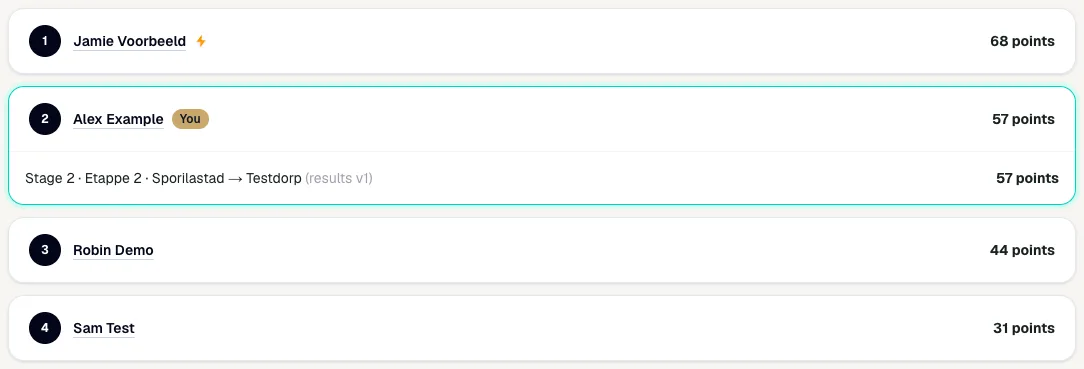
In cycling, open ‘Standings’. After the deadline every participant’s name is underlined. Tap a name to open that participant’s submitted team. Formula One works the same way in ‘Ranking’, for the current race weekend.
Read someone else’s team
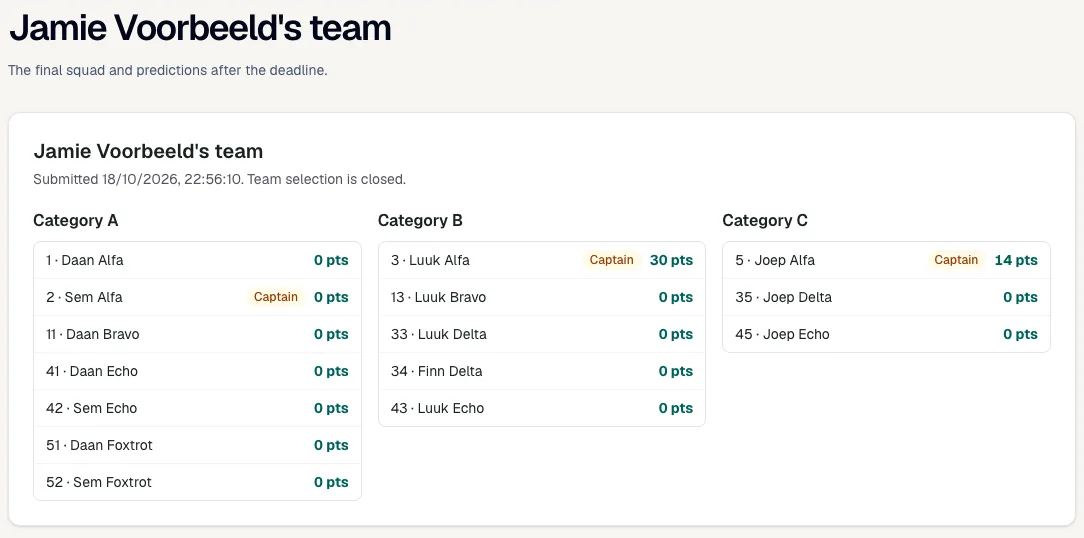
You see the final team as it was submitted when team selection closed: the riders per category with their captain and the points each rider has earned so far. Below are the Bonus and Malus riders, the reserves (‘Standby’, or ‘Substituted’ when a rider was replaced) and the jersey predictions. It is view-only; nobody can change anything after the deadline.
Open Pro features
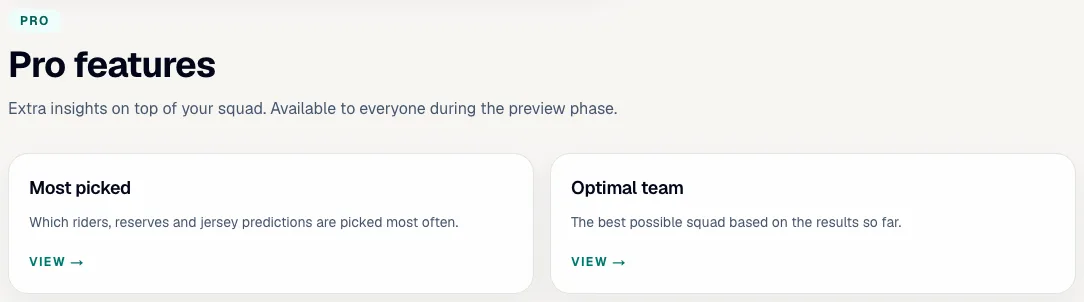
In cycling, choose the ‘Pro features’ tab in your competition. It holds two insights: Most picked and Optimal team. They are called Pro insights, but during the preview phase every participant can use them.
See what was picked most
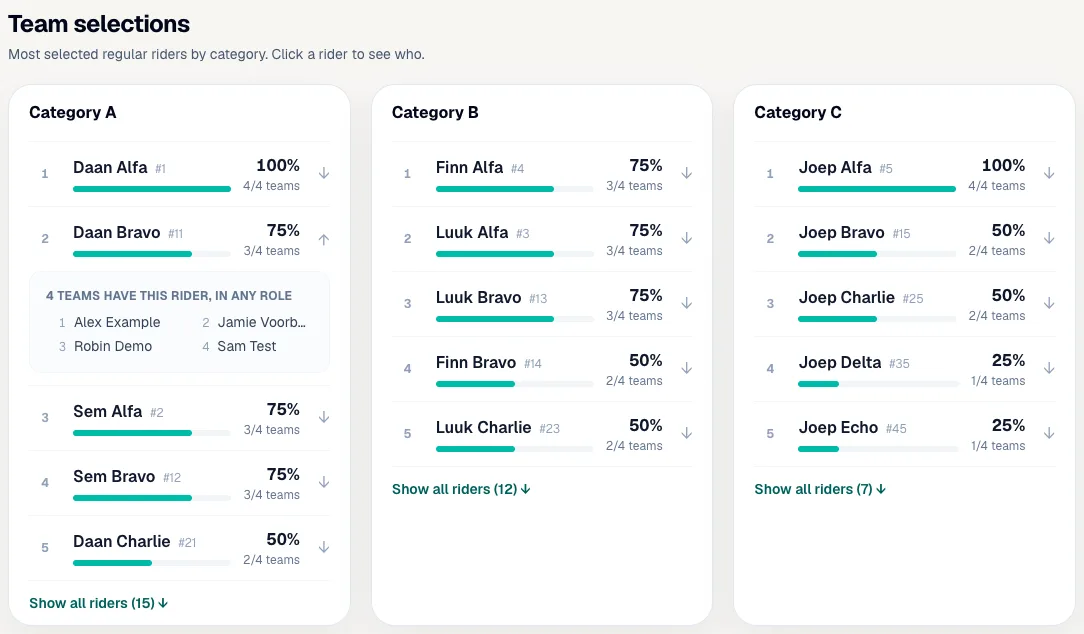
‘Most picked’ counts every submitted team in your competition. Per category you see the regular riders with the percentage and number of teams that chose them. Tap a rider to see which participants have them, in any role. ‘Show all riders’ expands the full list. Further down are the most popular Bonus and Malus riders, reserves and jersey predictions.
Compare with the optimal team
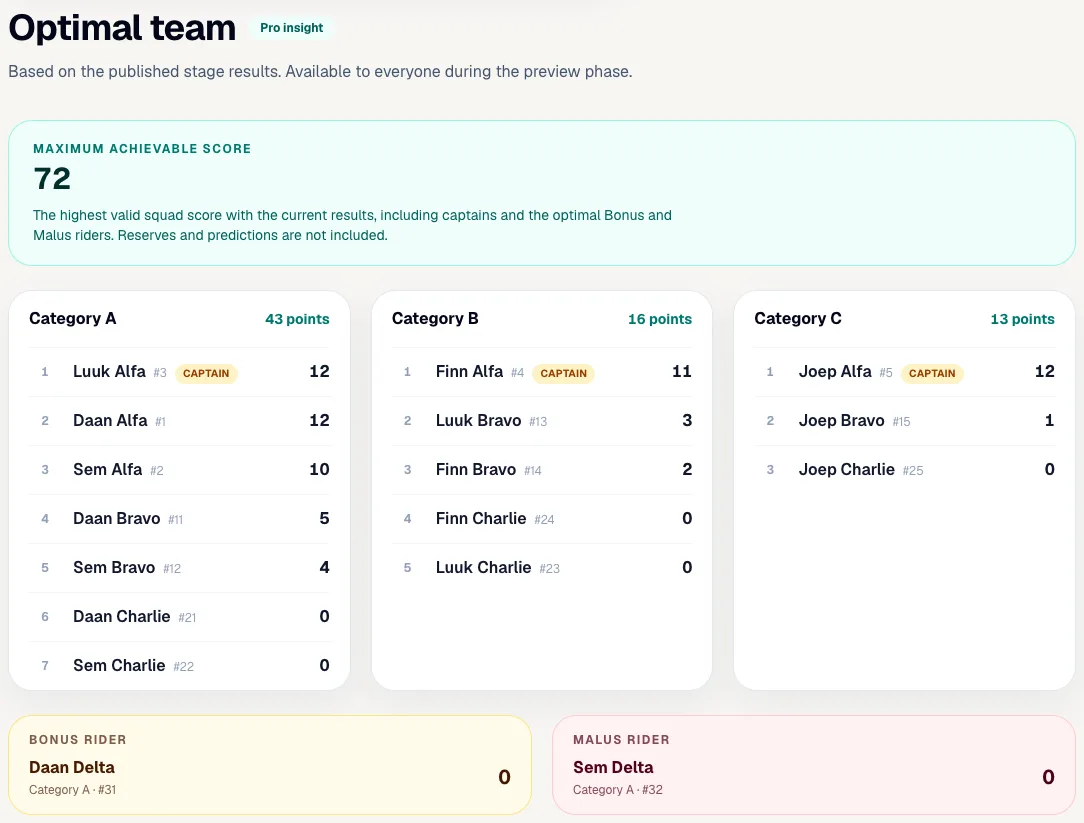
‘Optimal team’ works out which valid team would have scored the most points with the published stage results, including the best captain per category and the best Bonus and Malus riders. Reserves and predictions are not included. A rider from a lower category may also fill a place in a higher category, so you may see a B rider under category A. The optimal team changes after every processed stage and does not count towards your own score.
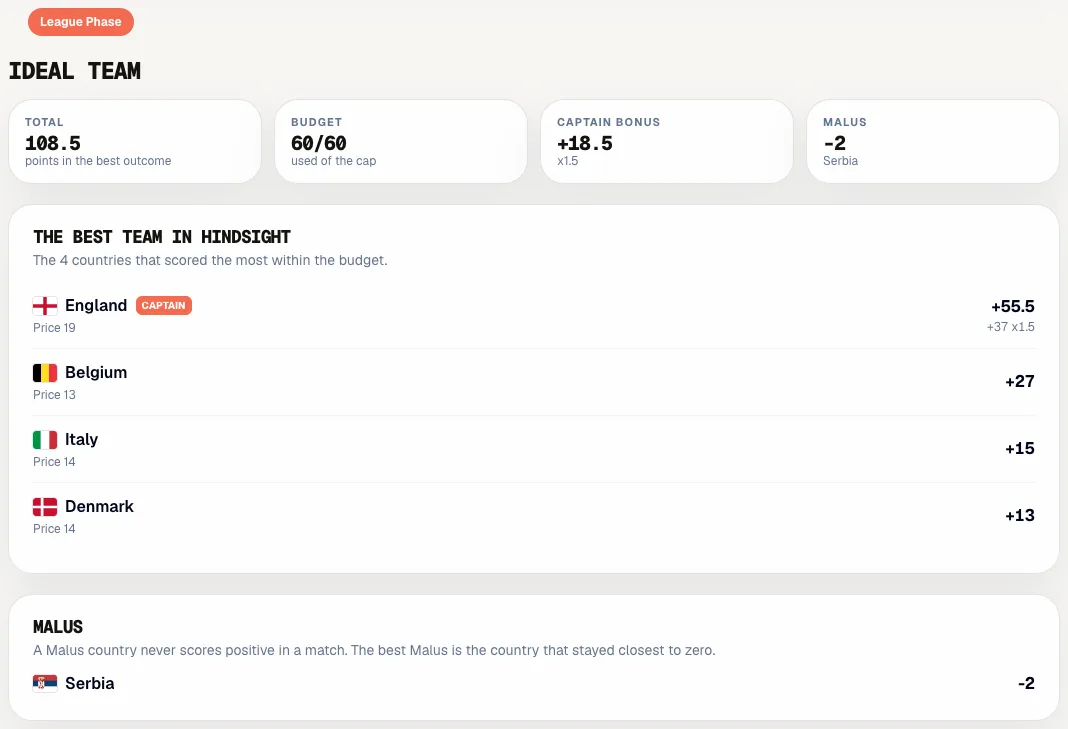
Football: view the ideal team
In football, open ‘Insights’ and pick the Phase at the top. ‘Ideal team’ shows the countries that together scored the most points within the budget and group limit, with the best captain and the best Malus country: the one that stayed closest to zero. The ideal team appears once the Phase’s first match has a result.
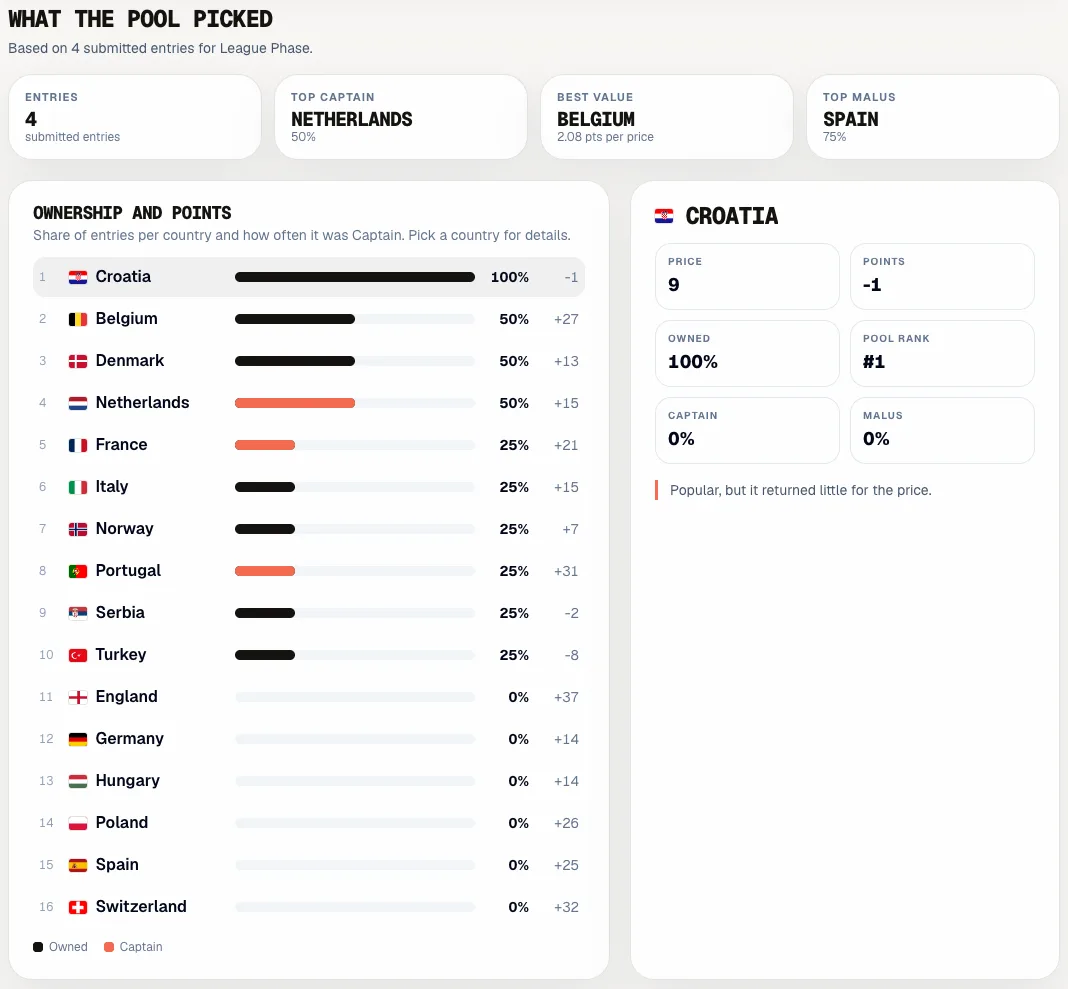
Football: see what the pool picked
Below the ideal team is ‘What the pool picked’. At the top you see the number of entries, the top captain, the best value and the most chosen Malus country. ‘Ownership and points’ shows per country what share of participants picked it and how often as captain; pick a country for its price, points and pool rank. Further down are a chart of price against points, the most chosen Malus countries, differentials (lightly picked countries that still scored, from ten entries) and the best value per budget point.
See the statistics of the whole edition
Open ‘Statistics’ in your competition or on the edition’s page. It lists every rider, driver, skater, swimmer or country with their sporting record from the published results: wins, podiums or top-ten finishes, best finish and form over the last three results. Next to it is how often the Sporila field picked them, across all competitions of this edition, with captains and malus counted separately. Picks count only once their own competition’s deadline has passed, and shares appear from three teams. Who picked whom is never shown here. Fantasy points and prices are not shown, because they differ per game format. Sort by picked, wins, podiums or name.
Curious what everyone else picked?
Open your competition once the deadline has passed. Look at your nearest rival’s team in the standings, or compare your picks with what everyone else chose and with the best team in hindsight.
Go to my competitionsHaving trouble?
I see ‘Available from’ instead of an insight
The deadline has not passed yet. Insights and other participants’ teams appear only once nobody can change their picks. Come back at the time shown.
I cannot click the names in the standings
The picks have not been revealed yet, or your competition does not show individual teams. In football you only see a summary of what the pool picked, under ‘Insights’.
Does the optimal or ideal team count towards my score?
No. Both are only a comparison in hindsight. Your score comes solely from the team you submitted yourself.
Why is a B rider under category A in the optimal team?
A rider from a lower category may fill a place in a higher category. The optimal team uses that room when it scores more, just as you could when you built your team.
Differentials says ‘Not enough entries’
Differentials appear only from ten submitted entries in the Phase. With fewer participants a low percentage says too little.
Do I have to pay for Pro features?
No, not during the preview phase: every participant can use them then. If your competition has an entry fee and your payment is still outstanding, you see the insights only after paying.
Next guide: Achievements and the Hall of Fame