In short
- Choose ‘Competitions’ at the top and open your competition under ‘My competitions’.
- Read under ‘Rules’ what you choose and how you score points.
- Check the deadline on the page where you submit your choices, and whether a payment is still due.
The screenshots show fictional competitions using speed skating as an example. Amounts, points, deadlines and layouts can differ by competition and sport. Follow the information in your own competition.
Find your competition
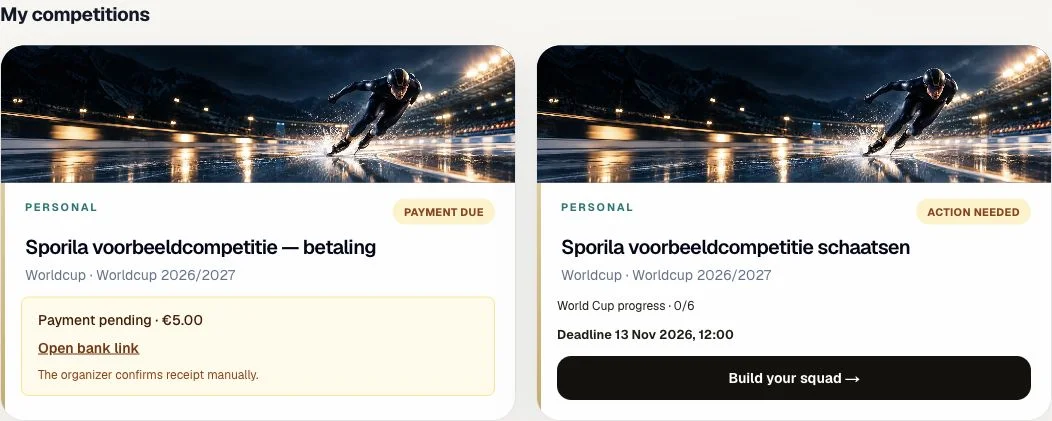
Sign in and choose ‘Competitions’ at the top. ‘My competitions’ contains your competition cards. Check the competition name, sporting edition and status. A card may show ‘Action needed’, ‘Submitted’ or ‘Payment due’. Use the button on the card. ‘Open Competition’ opens the overview. An action such as ‘Build squad’ opens the builder directly; use its back link if you want to visit the competition overview first. If your competition is missing, check that you signed in with the correct account and have already joined.
Guide: join with an invitation or code
Explore the competition overview
The overview belongs to one competition. It shows the competition name and sporting event, the main next action and, depending on the game, the calendar, squad or team status, points and standings. Layouts and buttons differ by sport. In this skating example, ‘Build your squad’ and ‘Rules’ appear at the top, with the deadline below. Empty standings or zero points can be normal before results have been processed.

Open your competition’s rules
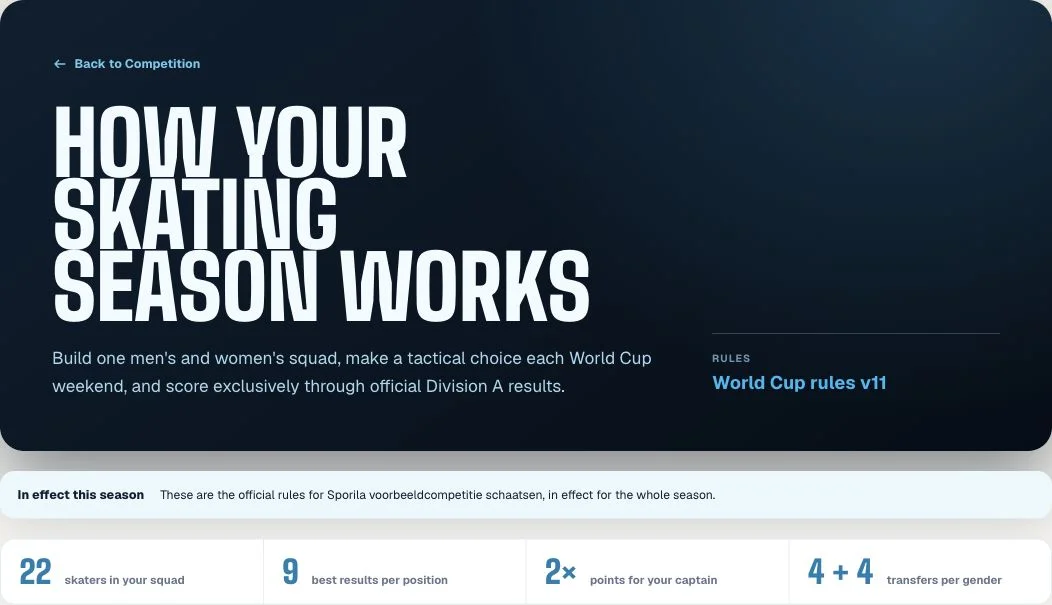
Look for ‘Rules’ within the competition. Read which choices you make, how many athletes or teams you select and which restrictions apply. Check whether captains, reserves, predictions or transfers are part of this game; they are not enabled everywhere. If a rule name or version is shown, it belongs to the displayed rules. Do not copy settings from another competition or a screenshot. These sporting game rules are separate from the Participant Terms you accepted for your account.
Understand the scoring
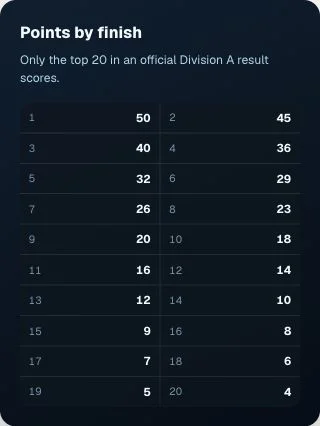
Read which performances earn points. Check the points table, which races or results count and any additional points for captains or predictions. This skating example includes a ‘Points by finish’ table. It is not a universal Sporila scoring table: other sports and game formats may use different points and conditions. A sporting result and your fantasy score are different; the result must be processed first. A correction can also change the standings.
Check the correct deadline
Check the competition card, overview and especially the page where you submit your choices. In this example, the deadline appears below ‘Build your squad’. A race start is not automatically your submission deadline. Teams, rounds, weekends, phases or predictions can have different closing times. Check the closing time for the item you want to submit and submit well in advance. A saved draft is different from a confirmed submission: check that item’s status or confirmation after submitting.
Check whether payment is still pending
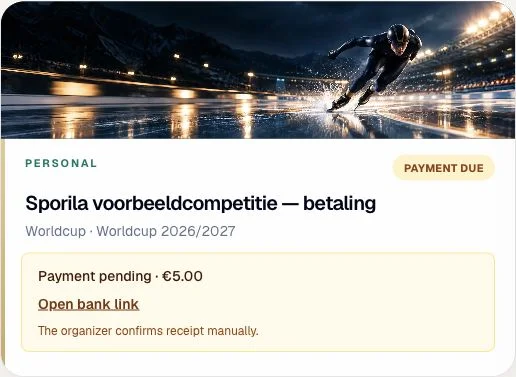
If an entry fee applies, the competition card may show ‘Payment due’ and ‘Payment pending’, with the amount and ‘Open bank link’. Check that the instructions belong to your organizer and competition. The organizer confirms receipt manually, so payment may not immediately appear as received. Do not pay again just because the status is still pending; ask your organizer to check. A pending payment can block access to the team or squad builder. Free competitions do not require an entry fee. If a fee applies but payment instructions are missing, ask your organizer for them.
Know what you need to do?
Return to your competition and open the action for your team, squad or predictions. Follow your competition’s rules and deadline, and check the confirmation after submitting.
Go to my competitionsHaving trouble?
My competition is missing
Check your account and participation. Open the invitation again if needed. An inactive organization or archived competition can also affect visibility; ask your organizer what happened.
The card goes straight to the builder
That may be the action you need to complete now. If you want to review the overview and rules first, use the builder’s back link to the competition.
I cannot find the rules or the competition is not open
Your organizer may still be preparing the competition. Ask when the rules and registration will be ready. Do not assume another competition’s rules apply.
The deadline has passed
That choice window is closed. Some games open a later window for the next round or another part of the game. Check the current page and ask your organizer for an explanation if something seems wrong.
I paid, but the status is still pending
The organizer confirms receipt manually. Ask them to check the payment and specify which competition it concerns. Do not pay twice just to clear the message.
I cannot see points or standings yet
There may be no processed results yet. Check the race calendar and your submission status. If you expect points, ask your organizer whether the results have been processed.