In short
- You need an account with a confirmed e-mail address.
- Open the invitation link, sign in and choose ‘Join competition’; opening the link alone does not join you.
- Only a code? Enter it under ‘Have a code?’ on ‘Competitions’ and choose ‘Join’.
The screenshots show a fictional example competition. GUIDE7K is only an example code; use the link or code from your own organizer.
What do you need?
Make sure you have a Sporila account and have verified your e-mail address. Ask your organizer for the invitation link or competition code. For an organization’s competition, you must also be a member of that organization. If you do not have an account, create one and verify your e-mail address before completing your participation.
Use an invitation link
Open the link your organizer sent you. The page shows which competition you have been invited to. If you already have an account, choose ‘Sign in’. Otherwise, choose ‘Create account’ and verify your e-mail address afterwards. After signing in, you will return to the invitation. If you arrive elsewhere, open the invitation link again.
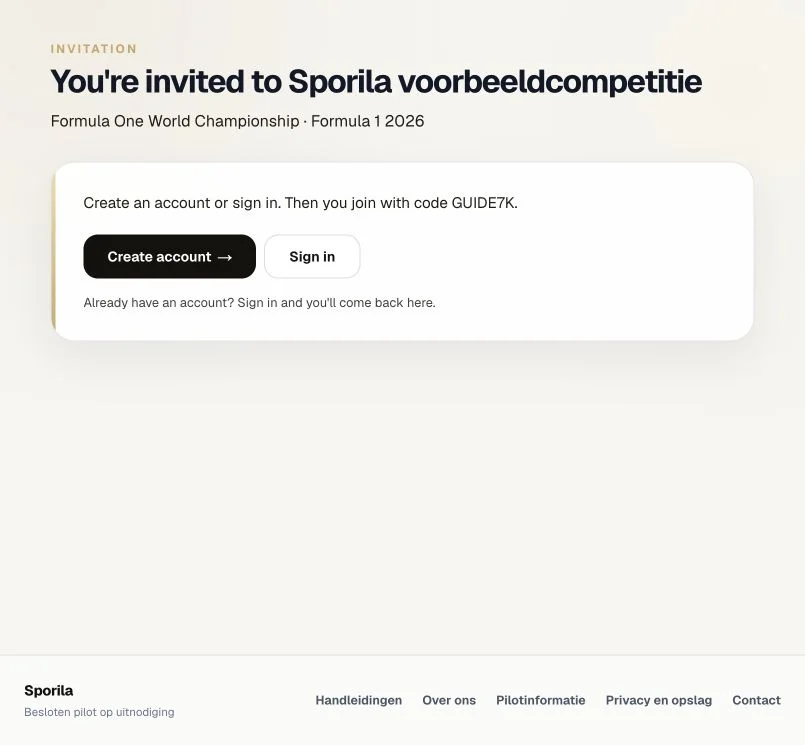
Confirm participation with the filled-in code
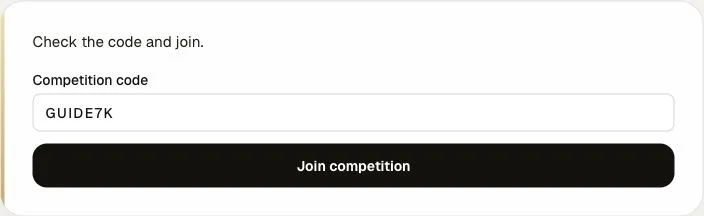
Once you are signed in and the code appears on the invitation page, check the competition and choose ‘Join competition’. This registers your participation. Opening the invitation link or signing in alone does not join the competition. Sporila may also fill in your invitation code under ‘Have a code?’; choose ‘Join’ there to continue.
Use a code without an invitation link
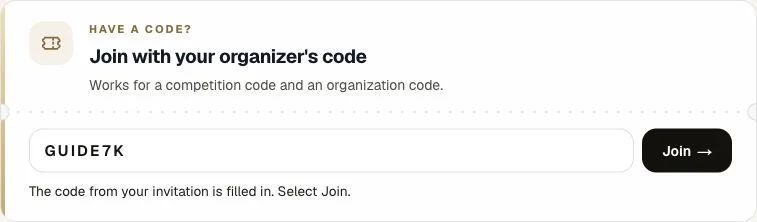
If you only received a code, sign in and open ‘Competitions’ at the top of the page. Find ‘Have a code?’, enter the code you received and choose ‘Join’. After a successful registration with a competition code, the competition opens. Use your organizer’s code; the screenshot’s code is only an example.
Competition code or organization code?
‘Have a code?’ accepts both types. An organization code joins you to the organization and shows its open competitions on the page. This does not automatically join a competition. Ask for the competition code if needed and register for the competition you want. If Sporila says the competition is only for organization members, ask your organizer for the organization code first. Enter it under ‘Have a code?’, then use the competition code or open your invitation link again.
After joining
After a successful registration with a competition code, the competition opens. You can find it again under ‘Competitions’. Read the rules and check the deadlines. Confirming participation does not submit a team, squad or predictions; complete and submit those separately before their deadline. If an entry fee applies, follow your organizer’s payment instructions.
Ready to join?
Use your own invitation link or enter the code you received on your competitions page. If you already joined, open the competition from ‘Competitions’; you do not need to register again.
Go to my competitionsHaving trouble?
No invitation or code?
Ask your organizer for it. Competitions are private; you need the correct access code to join.
The code is not valid
Copy the full code from your organizer and check that you have not missed or added anything. Ask whether the code is still active; an organizer can replace or deactivate it. Do not guess random codes.
The competition is not accepting registrations
Ask your organizer whether registration is open and the competition is ready for participants. A valid invitation does not guarantee that registration is currently possible.
You need to verify your e-mail address first
Open ‘My account’ and request a verification e-mail under ‘Verify your e-mail address’. Open the link in your inbox, then try joining again.
You must join the organization first
Ask for the organization code. Enter it under ‘Have a code?’ to become a member, then use the competition code. If your membership is blocked, contact your organizer.
Too many invalid code attempts
Wait 15 minutes before trying again. Meanwhile, check the correct code with your organizer.
Next guide: View your competition and understand the rules