In short
- Go to ‘Competitions’ and choose ‘Organize a competition’; for a club or company, start from your organization.
- Choose the sport, edition and game format, name the competition and decide who can join.
- After ‘Create competition’, finish the setup before you invite anyone.
The screenshots show a local fictional cycling competition with invented data. Available sports, editions, game formats and next steps differ per competition. Follow the choices in your own wizard.
Open ‘Organize a competition’
Sign in, go to ‘Competitions’ and choose ‘Organize a competition’. By default, you create a personal competition that you administer. Organizing for a club or company? Apply for an organization first and open the wizard from that organization, so administration and participants belong to the correct organization. Your e-mail address must be verified before you can create a competition.
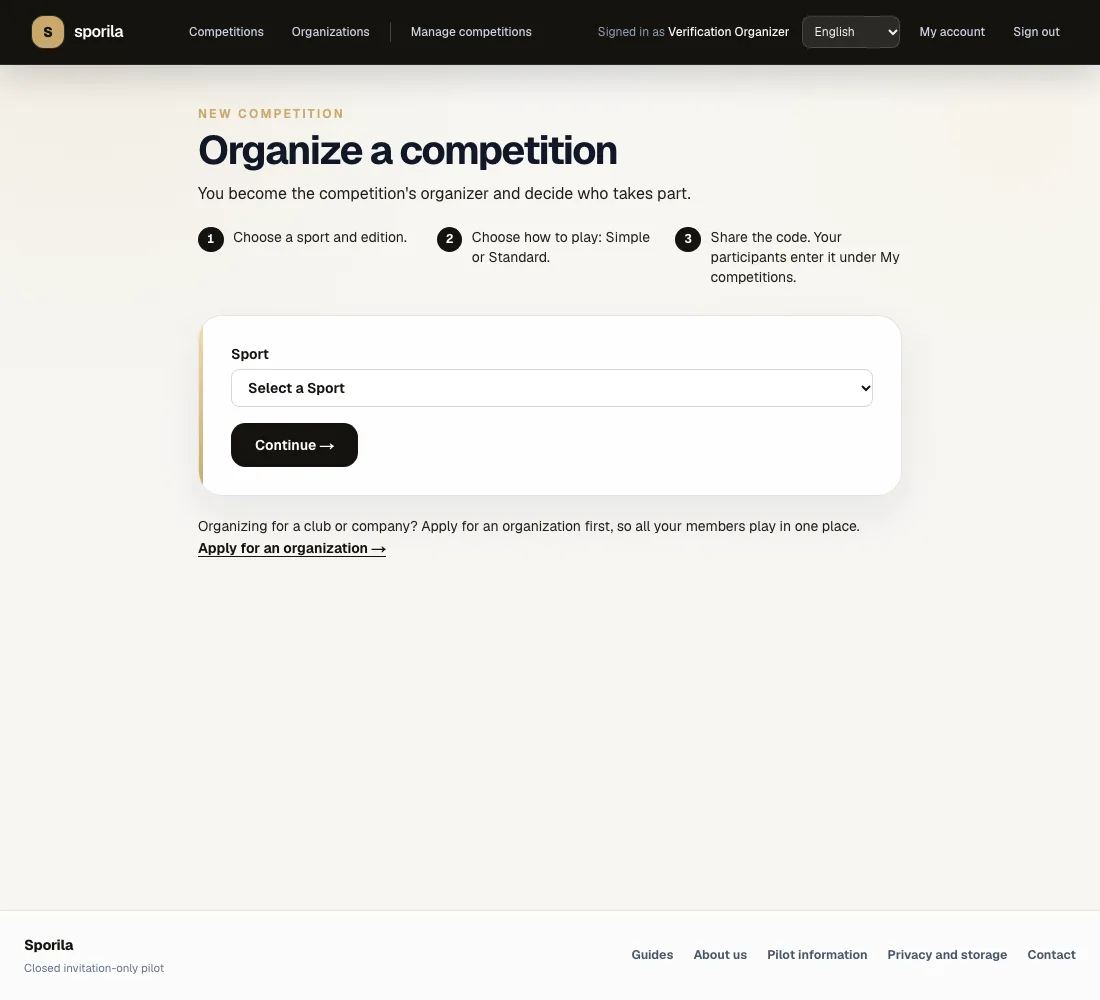
Choose the sport and edition
Choose the sport and then the sporting event or season around which you are organizing the game. If only one valid choice exists, Sporila may skip that step automatically. A missing sport or edition usually means there is no suitable edition or published game format available yet.
Choose how you want to play
When the wizard asks, choose between ‘Simple’ and ‘Standard’. Simple has fewer choices and usually requires less preparation. Standard is the fuller game and may require additional setup. Some sports then offer quick choices, such as reserve riders or Bonus and Malus. Read the explanation for every option; other sports may offer different quick choices or none at all.
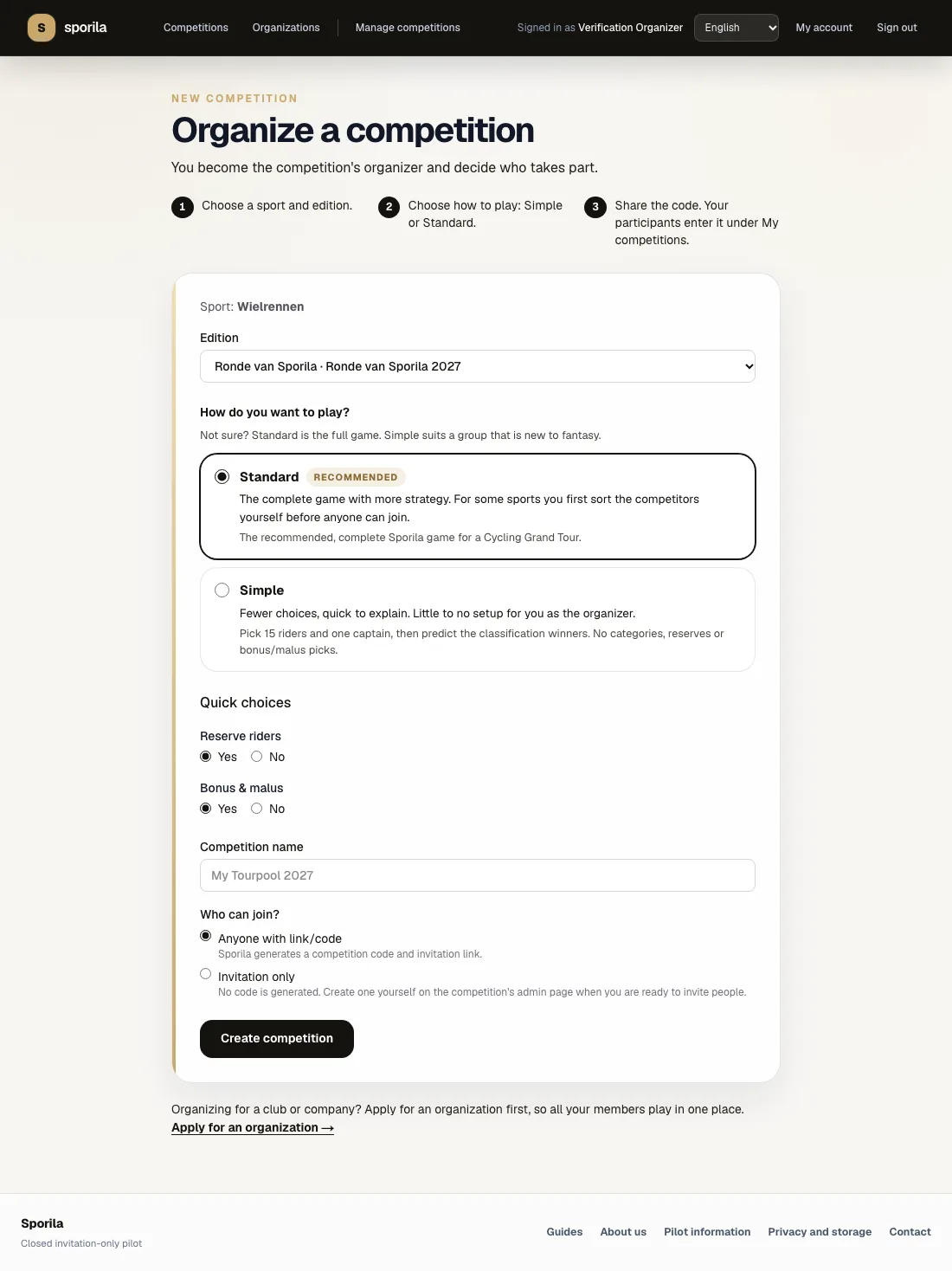
Name your competition and choose who can join
Enter a recognizable competition name. ‘Anyone with link/code’ makes Sporila generate a competition code and invitation link. ‘Invitation only’ does not generate a code yet; you can create one later from competition management. Still need to accept the Platform Rules for organizers? Read the current version in full and tick the box only if you agree.
Create the competition
Review your choices and select ‘Create competition’. Sporila then shows what is already configured and what remains. This full cycling example says ‘One more step’: competitors must first be categorized or priced, the rules published and registration opened. The displayed code only works after registration opens. A simpler game may be ready to share immediately.
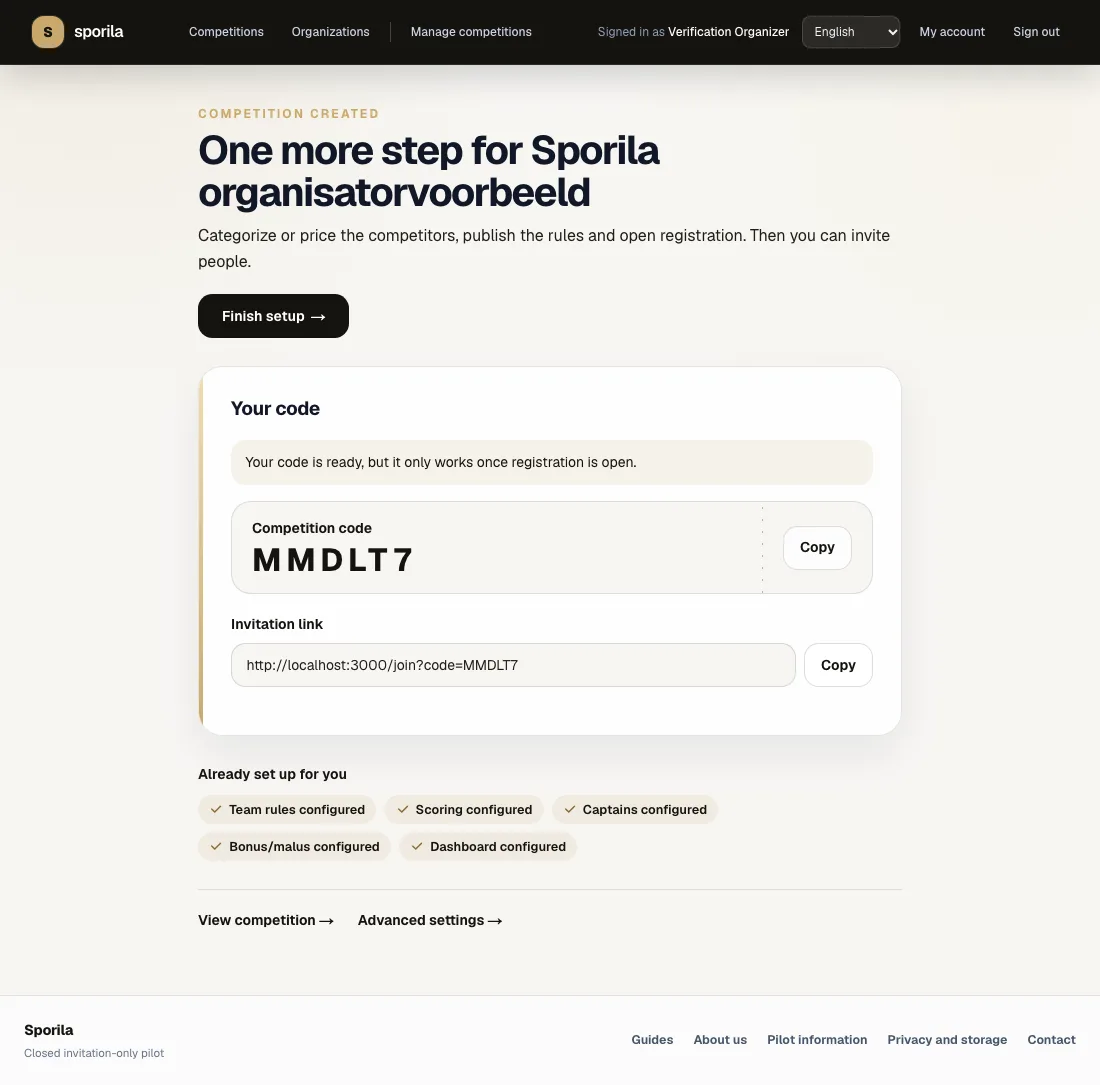
Finish setup before inviting participants
Choose ‘Finish setup’ or open ‘Manage competitions’. Complete every requested section, review the rules and participant view, then open registration. Test the invitation link or code in the participant view before sharing it with your group. Use ‘View competition’ to see what participants will see.
Your foundation is ready
Open competition management and complete the outstanding setup. Only share the code after registration is open and you have checked the participant view.
Go to competition managementHaving trouble?
A sport or edition is missing
Sporila only shows editions with a matching published game format and a start list that already holds enough riders, drivers, skaters, swimmers or countries for one complete team. If the start list is not settled yet, the edition appears once it is filled. Choose another edition or ask the platform administrator when the combination you need will become available.
I cannot create the competition
Check every required field, your e-mail verification and any required acceptance of the Platform Rules. Read the message below the form and retry that step.
Should I choose Simple or Standard?
Choose Simple for a group that wants to start quickly with fewer choices. Choose Standard for the full game and more strategy. Always read the sport-specific explanation in the wizard.
My code does not work yet
A code may already be visible while registration is still closed. Finish the required setup, publish the rules and open registration before sharing it.
I want to organize for a club or company
Apply for an organization first. Once approved, create the competition from that organization to keep the correct administrators and members together.
Can I change my choices later?
Some settings can be completed in competition management, but the sport, edition and base format determine the structure. Check them before creation and do not change published rules after play has started.
Next guide: Invite and manage participants