In short
- Open your cycling competition from ‘Competitions’ and choose ‘Build team’.
- Choose your riders per category, your captains, a Bonus and a Malus rider, your jersey predictions and reserves.
- Choose ‘Submit complete Entry’ before the first stage: a draft does not count.
The screenshots show a fictional example competition in an invented race, with invented riders and teams. The numbers per category, points and the deadline can differ per competition; check ‘Rules’ in your own competition.
Before you start
You must join the competition first. You build your team separately afterwards. The organizer has placed every rider in a category beforehand: A for the leaders, B and C for the rest of the peloton. Also read your competition’s ‘Rules’: they explain how riders score points.
Open your team
Sign in and choose ‘Competitions’ at the top. Open your cycling competition. The strip below the tabs shows ‘Team not submitted’ with the deadline, usually the start of the first stage. Choose ‘Build team’ or the ‘My team’ tab.

Choose your riders
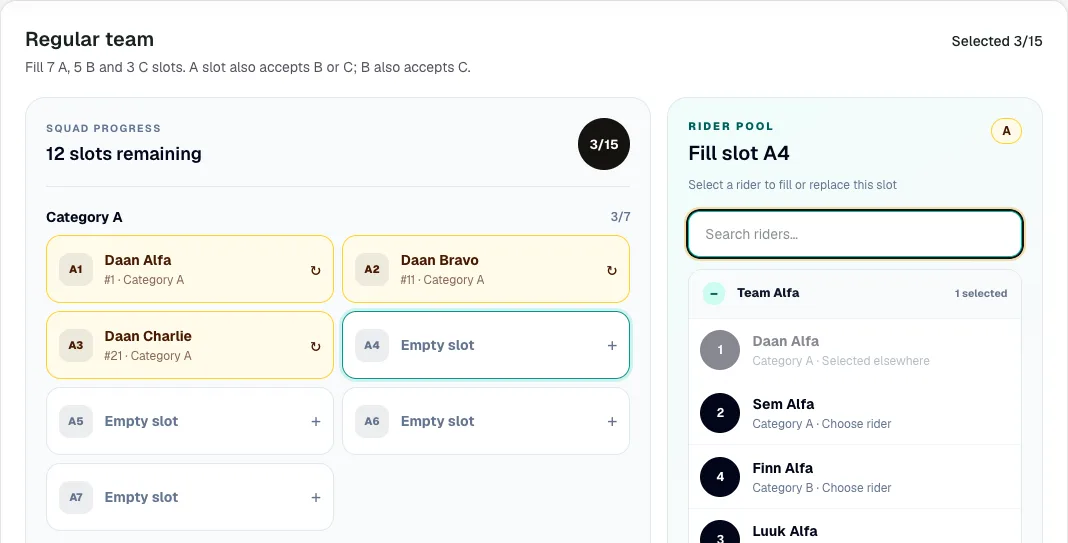
‘Regular team’ shows how many riders to choose per category, for example 7 A, 5 B and 3 C. You may also fill an A slot with a B or C rider, and a B slot with a C rider. Tap an empty slot. The rider pool appears on the right, or at the bottom on your phone, grouped by team. Search by name if you like and tap a rider. Sporila then moves on to the next empty slot. To swap someone, tap their slot and choose another rider. A greyed-out rider is already in your team.
Choose your captains
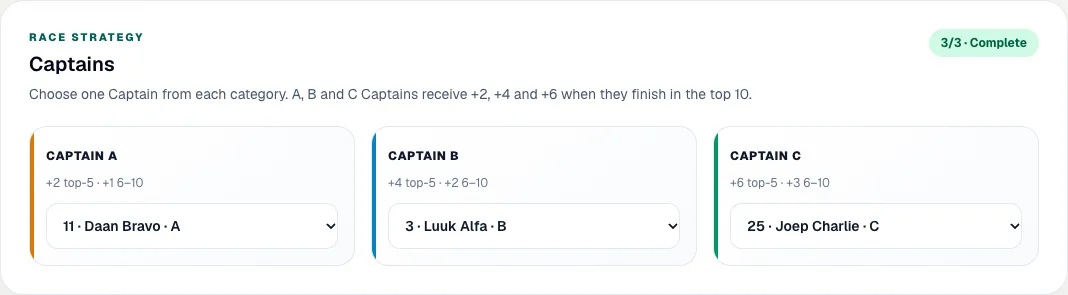
Under ‘Captains’, choose one captain per category from your own team. A captain scores extra points when finishing in a stage’s top 10, and more in the top 5. Each box shows exactly how much. If you remove a captain from your team, choose again.
Choose your Bonus and Malus
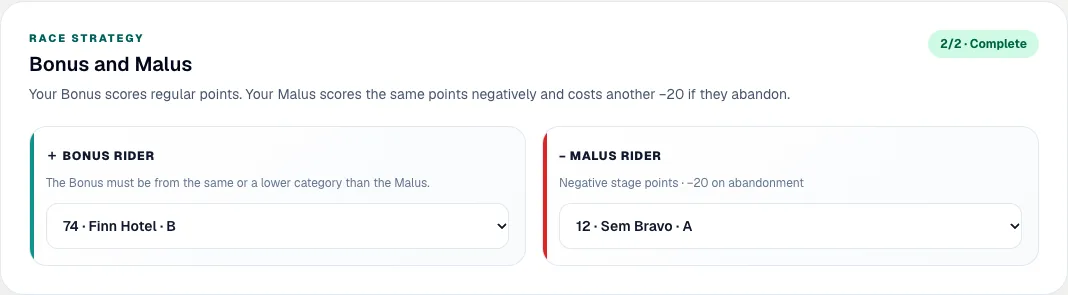
You choose Bonus and Malus from outside your team. Your Bonus rider scores normal stage points for you. Your Malus rider scores the same points negatively, and abandoning costs you another 20 points. Choose your Malus first. Your Bonus must be from the same or a lower category: with an A rider as Malus your Bonus can be any category, with a C rider as Malus only C.
Predict the jersey winners
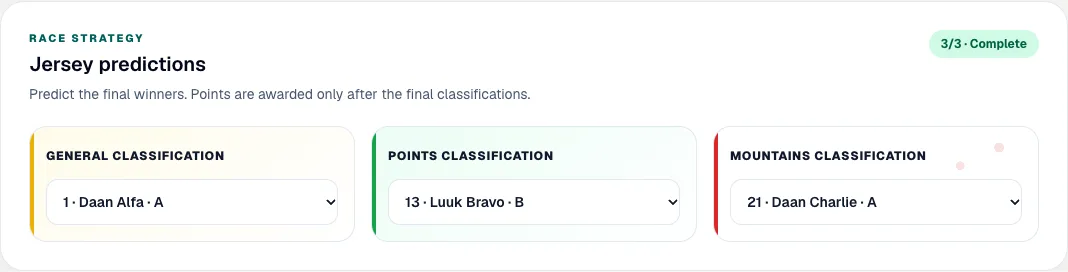
Under ‘Jersey predictions’, choose who wins the general, points and mountains classifications. You may choose any rider, including one from your own team. This is judged only after the final stage, against the definitive final standings. Wearing the jersey along the way earns nothing. If your competition has a Team Time Trial prediction, you also choose three different teams there.
Name your reserves
Under ‘Reserves’, choose one rider per category from outside your team. If a rider from your team does not start or abandons, the reserve of the same category takes over from that stage, for the rest of the race. Without an abandonment a reserve scores nothing, so choose riders who will ride the whole race.

Submit your team
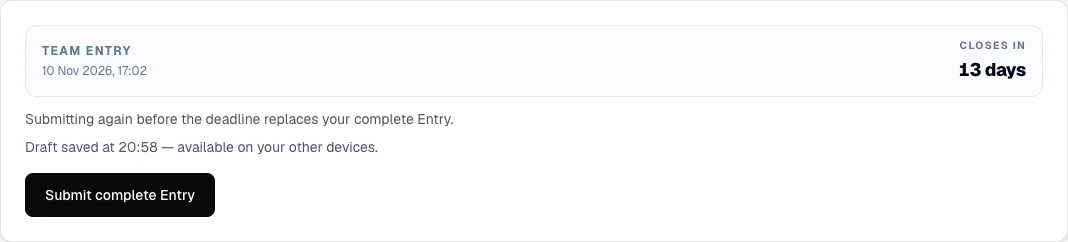
The bar at the top of the page counts each part: squad, captains, Bonus/Malus and jerseys. While you choose, Sporila automatically saves your choices as a draft, so you can continue later or on another device. A draft does not count: press ‘Submit complete Entry’. If anything is missing, Sporila tells you what. After submitting you will see ‘Last submitted’ with the date and time. Until the deadline you can change and resubmit your team as often as you like.
After the deadline
After the deadline your team is fixed for the whole race: you can no longer swap riders, and your captains, Bonus, Malus and predictions are final. Your reserves step in automatically when needed. After each stage, ‘Stage standings’ shows your points and ‘Standings’ your rank.
Ready to build your team?
Open your competition from ‘Competitions’ and choose ‘Build team’. Submit your team before the deadline shown on the competition page.
Go to my competitionsHaving trouble?
I cannot choose a rider
A rider can only have one role. If they are already in your team, or are your Bonus, Malus or reserve, you cannot pick them again. A rider from a higher category does not fit a lower slot: an A rider cannot go in a B or C slot.
My captain or Bonus is suddenly empty
Captains come from your team; Bonus, Malus and reserves from outside it. If you move a rider from one group to the other, their old choice lapses and you choose it again.
I cannot see the ‘Build team’ button
Check that you have joined the competition. If an entry fee applies, your team opens once the organizer has processed your payment. Otherwise, contact your organizer.
My draft changed on another device
Sporila tells you and overwrites nothing. Choose ‘Load server version’ to continue with the other device, or ‘Keep my visible choices’ to keep what you see now.
‘Server save is currently unavailable’
Your device keeps your changes temporarily. Check your internet connection; Sporila tries again when you make your next change. Remember to submit your team afterwards.
The deadline has passed and I did not submit
After the deadline you can no longer submit a team and you will not score points. Contact your organizer if you think something went wrong.
Next guide: View your points, results and standings