In short
- Open your swimming competition from ‘Competitions’ and choose ‘Build your squad’.
- Fill every slot per gender with swimmers from tier A and tier C.
- Choose ‘Submit squad’ before the first heat; your squad is then fixed for the whole tournament.
The screenshots show a fictional example competition with randomly chosen swimmers. The numbers per tier, points and the deadline can differ per competition; check ‘Rules’ in your own competition.
Before you start
You must join the competition first. You build your squad separately afterwards. The organizer has placed a number of stars per gender in tier A; every other swimmer is in tier C. Unlike speed skating, there is no captain, there are no reserves and no predictions, and you cannot change anything after the deadline.
Open the squad builder
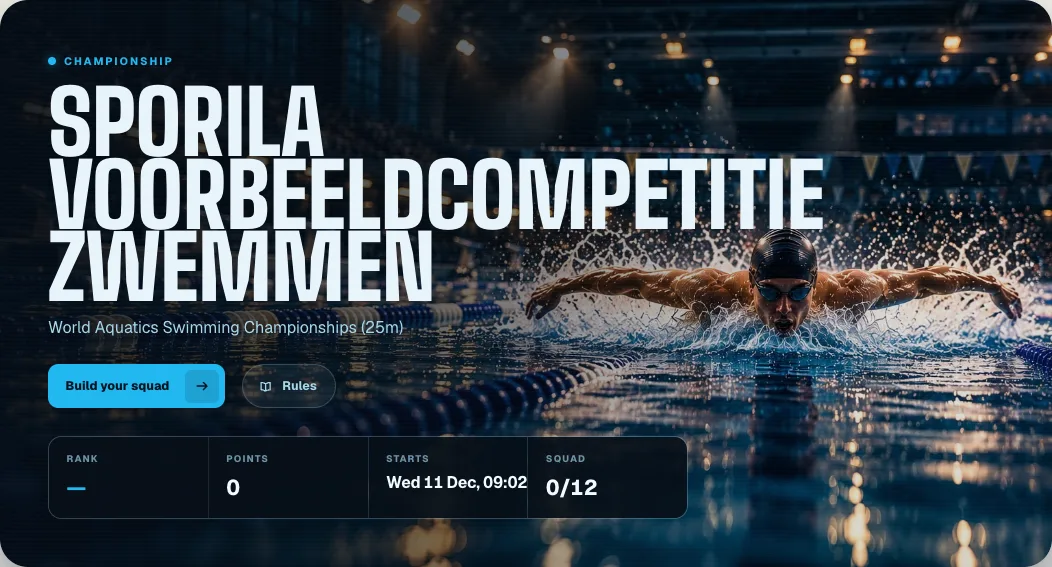
Sign in and choose ‘Competitions’ at the top. Open your swimming competition and choose ‘Build your squad’. Below the button, ‘Squad’ shows how many slots you have filled. ‘Rules’ explains how swimmers score points.
Choose your swimmers
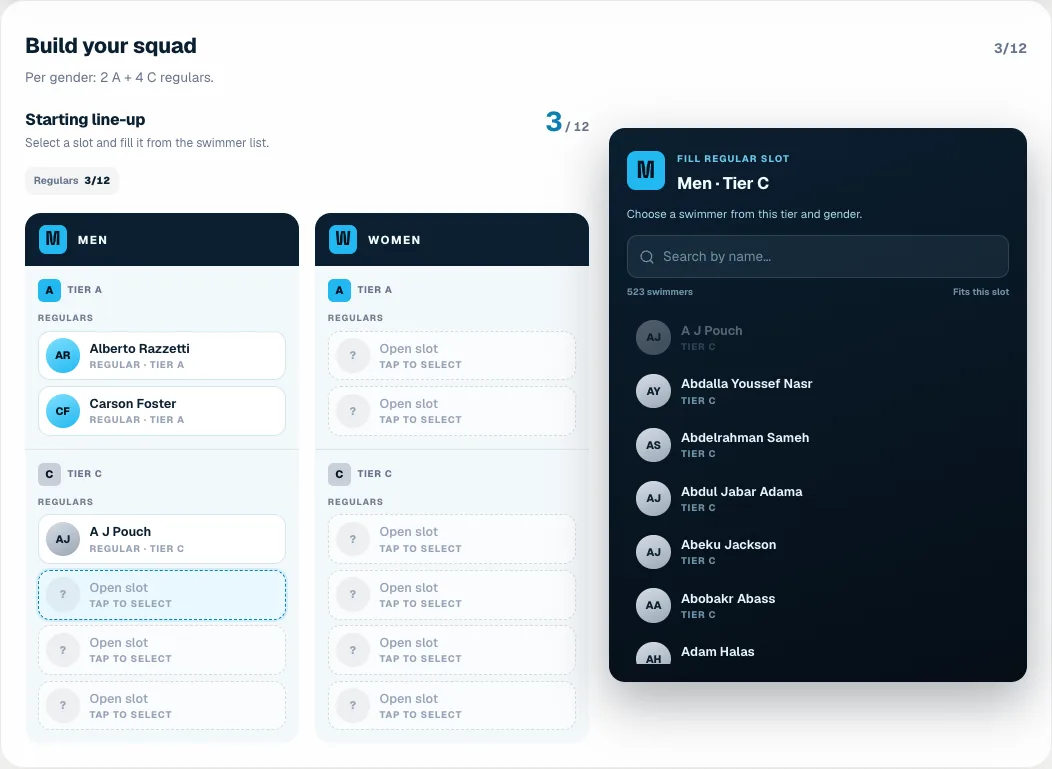
Above the line-up you can see how many swimmers to choose per gender, for example 2 A + 4 C. Tap an open slot. A list appears on the right, or at the bottom on your phone, with only the swimmers that fit that slot: the same gender and the same tier. Search by name if you like and tap a swimmer. Sporila then moves on to the next open slot. To swap someone, tap their slot and choose another swimmer. A greyed-out swimmer is already in your squad.
Submit your squad
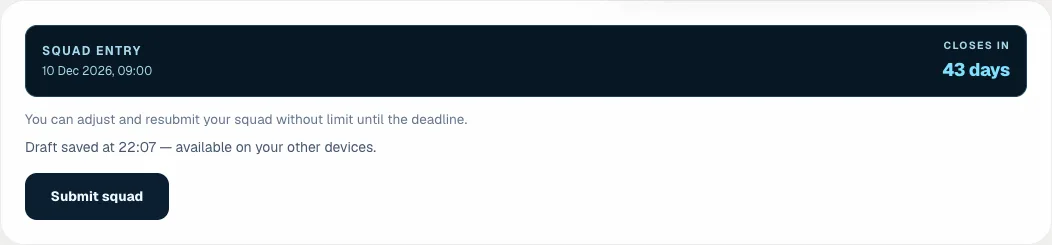
While you choose, Sporila automatically saves your choices as a draft, so you can continue later or on another device. A draft does not count: once every slot is filled, press ‘Submit squad’. After submitting you will see ‘Last submitted’ with the date and time. Until the deadline, when the first heat starts, you can change and resubmit your squad as often as you like.
After the deadline
After the deadline your squad is fixed for the whole championships and the other participants’ squads become visible. Only individual finals score points, for the top finishing places. Heats, semi-finals and relays do not count. A swimmer who does not swim an event scores nothing in it. Your men’s and women’s points form one total in the standings, which update after every processed final.
Ready to build your squad?
Open your competition from ‘Competitions’ and choose ‘Build your squad’. Submit your squad before the first heat of the championships.
Go to my competitionsHaving trouble?
The ‘Submit squad’ button is grey
Your squad is not complete yet. Check that every men’s and women’s slot is filled; the counter in the top right must reach the total.
I cannot choose a swimmer
The list only shows swimmers of the gender and tier of the slot you selected. If a star is missing from the list, select a tier A slot first. A greyed-out swimmer is already in your squad.
I cannot see the squad builder
Check that you have joined the competition. If an entry fee applies, the squad builder opens once the organizer has processed your payment. Otherwise, contact your organizer.
My draft changed on another device
Sporila tells you and overwrites nothing. Choose ‘Load server version’ to continue with the other device, or ‘Keep my visible choices’ to keep what you see now.
‘Server save is currently unavailable’
Your device keeps your changes temporarily. Check your internet connection; Sporila tries again when you make your next change. Remember to submit your squad afterwards.
The deadline has passed and I did not submit
After the deadline you can no longer submit a squad and you will not score points. Contact your organizer if you think something went wrong.
Next guide: View your points, results and standings