In short
- You can correct the rules only while nobody has submitted a team and the sport has not started.
- Under ‘Setup’, give a reason, choose ‘Create correction draft’ and fix the rules.
- Choose ‘Publish rules’ and tell your participants yourself what changed.
The screenshots show a fictional Formula One competition with an invented correction reason. Other sports work the same way; only the rules you can change differ.
When can you correct?
A correction replaces the published rules. That is only possible while nobody has played under them:
The competition is open
Its status is ‘Open for teams’; after ‘Lock’ it is no longer possible.
The sporting event has not started
The first match, stage or session has a scheduled start that has not passed.
No team has been submitted
For every sport: no squad, race weekend or country selection.
No other correction is in progress
Finish an existing correction draft first.
Start a correction
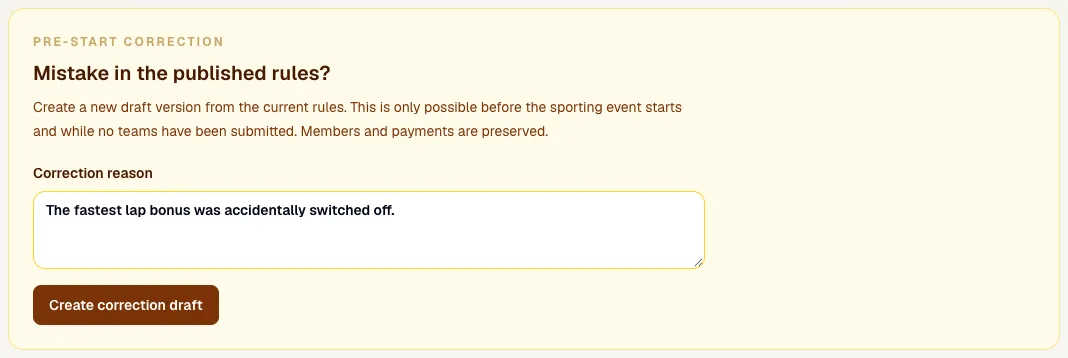
In competition management, open the ‘Setup’ tab. Below the rules is ‘Mistake in the published rules?’. Describe what was wrong in at least 10 characters under ‘Correction reason’; that reason stays with the new version. Then choose ‘Create correction draft’. Members, payments, prizes and your competition code stay as they are.
When it is no longer possible
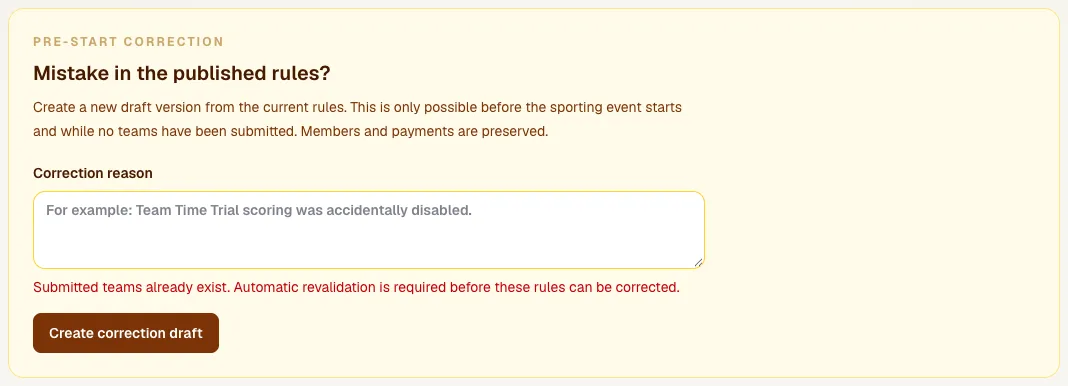
If teams have already been submitted, you see ‘Submitted teams already exist’ and no correction is made. There is nothing further to try: once someone has played, the rules are fixed. If the mistake is serious, contact Sporila. Retype the reason if you try again later, because the field is cleared.
Change the rules
At the top you now see ‘Version 2 · Correction’ with your reason and the label ‘Rules · Draft’. The draft starts as a copy of the published rules. Change what was wrong and choose ‘Save draft rules’. In Formula One the driver values belong to the rules version; the correction carries them over and you can change them below.

Publish the correction
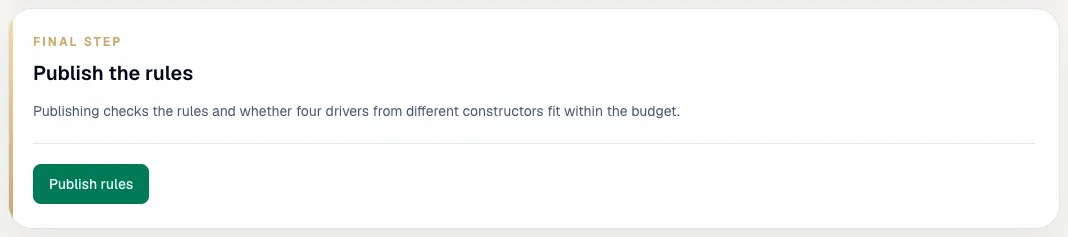
At the bottom is ‘Final step: Publish the rules’. Sporila checks the rules again, just like at the first publication. Choose ‘Publish rules’. The new version takes effect and the previous one is retired.
After publishing
The rules now show ‘Version 2 · Correction’ with ‘Published. The rules are fixed.’ Your participants see the new rules on their Rules page at once, but get no message about them. Tell them yourself what changed, for example in your group chat.

Found a mistake?
Correct it as soon as possible: once the first team is submitted or the sport has started, it is no longer possible.
Go to competition managementHaving trouble?
I see ‘Submitted teams already exist’
Someone has already submitted a team, so the rules can no longer be corrected. Contact Sporila if the mistake is serious.
I see ‘A correction draft already exists’
A correction is already waiting. Change it and publish it; you cannot make a second one at the same time.
I see ‘Corrections are blocked once the sporting event has started’
The first contest has started, or there is no scheduled start yet. After the start the rules are fixed.
I see ‘Corrections can only be started while registration is open’
Its teams are locked or it is still a draft. A draft you simply edit; after ‘Lock’ correcting is no longer possible.
My reason is not accepted
Explain the correction in at least 10 characters, so it is clear later why the rules changed.
Next guide: Follow and finish your competition