In short
- Choose ‘Create account’; if you have an invitation link, open it first.
- Enter your e-mail address and a password of at least 12 characters, and accept the Participant Terms.
- Confirm your e-mail address within 24 hours with the link in your inbox, then sign in.
Step 1. Open the registration form
Go to Sporila and choose ‘Create account’. Received an invitation link? Open that first and choose ‘Create account’ there, so you can continue with your invitation afterwards.
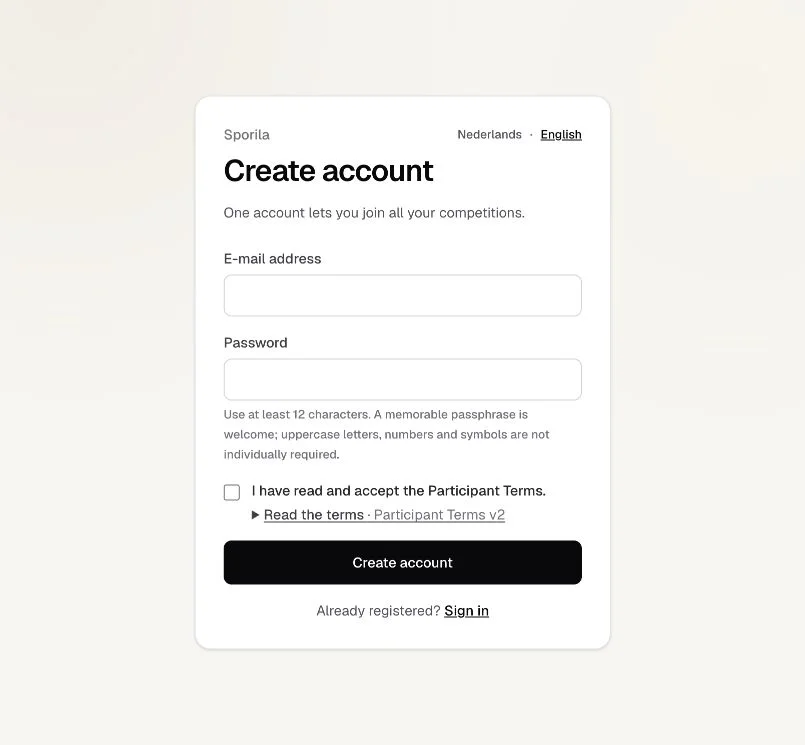
Step 2. Enter your details and create your account
Enter an e-mail address where you can receive messages. Choose a unique password of at least 12 characters; a memorable passphrase is welcome too. Open ‘Read the terms’ and read the Participant Terms. If you agree, tick the box to accept them and choose ‘Create account’.
Step 3. Verify your e-mail address
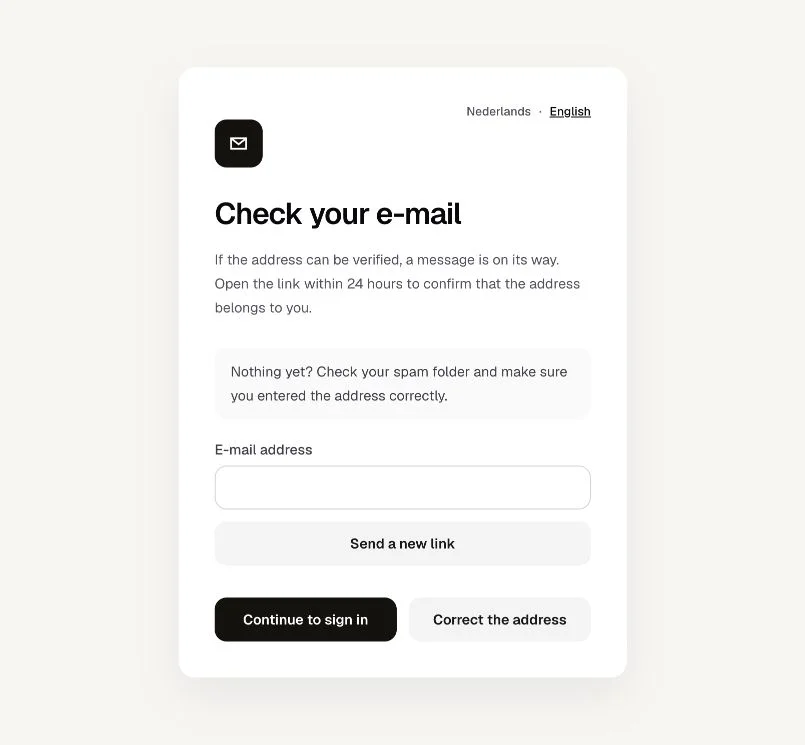
You will see ‘Check your e-mail’. Open your inbox and find the message ‘Verify your Sporila e-mail address’. Click ‘Verify e-mail address’ in that message. The link is valid for 24 hours. When you see ‘E-mail address verified’, your address is confirmed.
Step 4. Sign in and continue to your competition
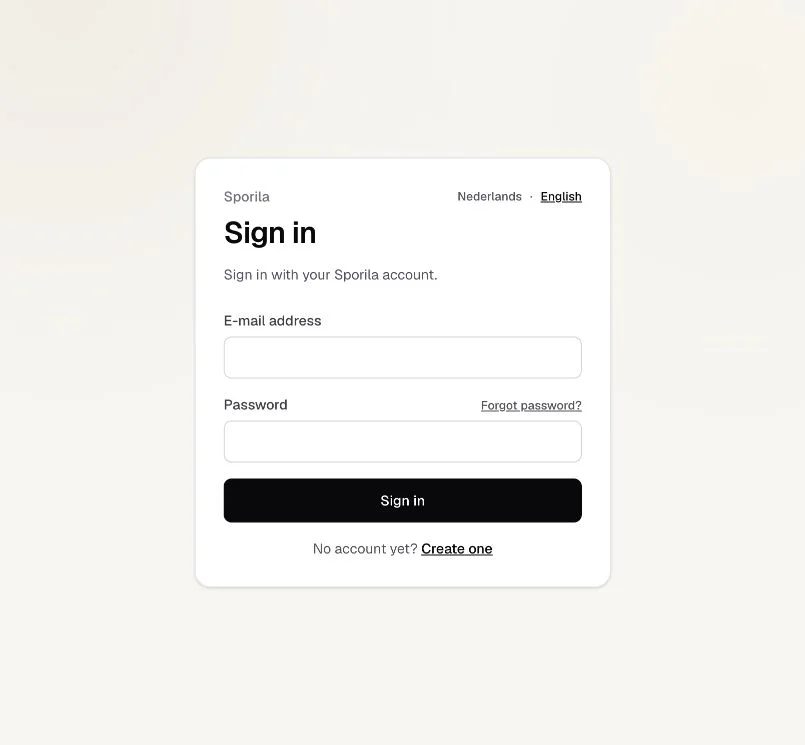
Go to ‘Sign in’ and enter the e-mail address and password of your new account. After signing in, you can continue to your competitions. If you received an invitation, open the invitation link again to continue, or use the competition code from your organiser.
Your account is ready
An account gives you access to Sporila. To join a private competition, you also need an invitation or competition code from the organiser.
Go to sign inHaving trouble?
No verification e-mail?
Check your spam folder. Enter your e-mail address on ‘Check your e-mail’ and choose ‘Send a new link’. Make sure you used the correct address; ‘Correct the address’ takes you back to the registration form.
Verification link no longer works?
The link may have expired or been replaced. Request a new one on the invalid-link screen and use the latest verification e-mail.
Already have an account?
Sign in with your existing details. Forgotten your password? Choose ‘Forgot password?’ on the sign-in screen to set a new password.
Next guide: Join with an invitation or code