In short
- Open your football competition from ‘Competitions’; you land on the country selection for the current phase.
- Choose countries within the budget, a captain from your selection and a malus country outside it.
- Choose ‘Save selection’ before the phase deadline; you choose again for every new phase.
The screenshots show a fictional example competition with randomly chosen countries. The number of countries, budget, prices, points and deadline can differ per phase and per competition; check ‘Rules’ in your own competition.
Before you start
You must join the competition first. The competition is split into phases, for example the league phase. Each phase has its own number of countries, budget and deadline, and you make a new choice for every new phase. Also read the ‘Rules’: they say how many points a win, a goal or a clean sheet earns.
Open the country picker
Sign in and choose ‘Competitions’ at the top. Open your football competition: you land straight on the country picker of the current phase. The top shows the deadline and how much time you have left. The tabs lead to the ‘Schedule’, ‘Standings’, ‘Insights’ and the ‘Rules’.
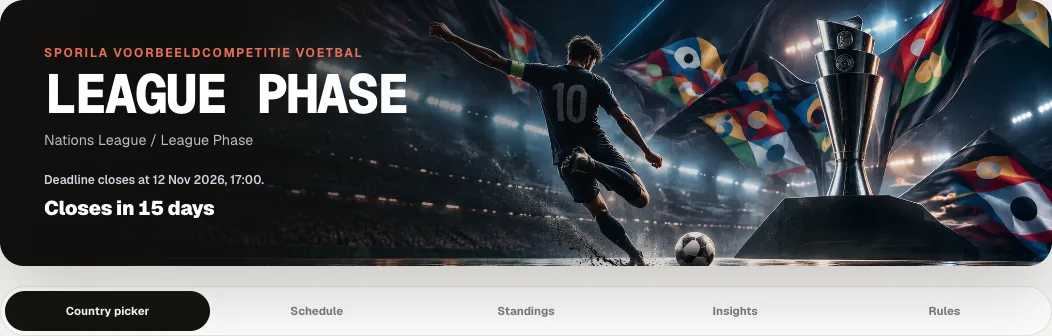
Pick your countries
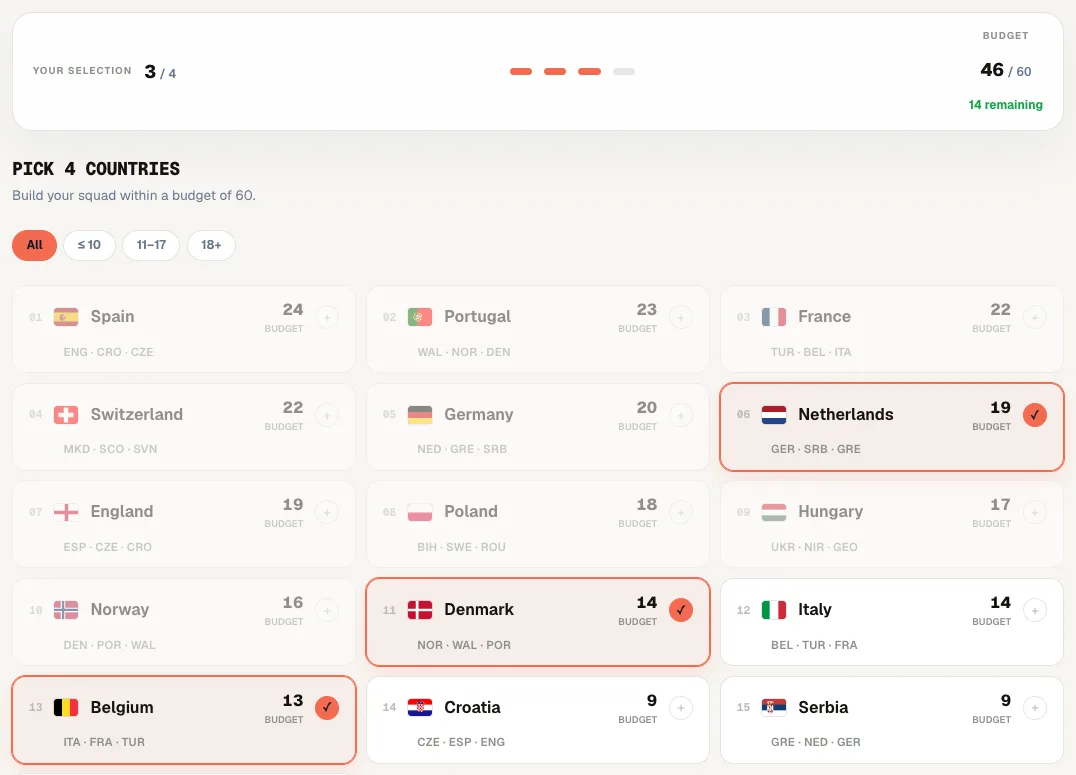
Tap a country to pick it; tap it again to remove it. Each country shows its price and the opponents in its group. The bar at the top shows how many countries you have picked and how much budget is left. Countries you can no longer afford turn grey. The buttons above the list filter by price. Some competitions limit how many countries you may pick from the same group; Sporila then says ‘Group limit reached’.
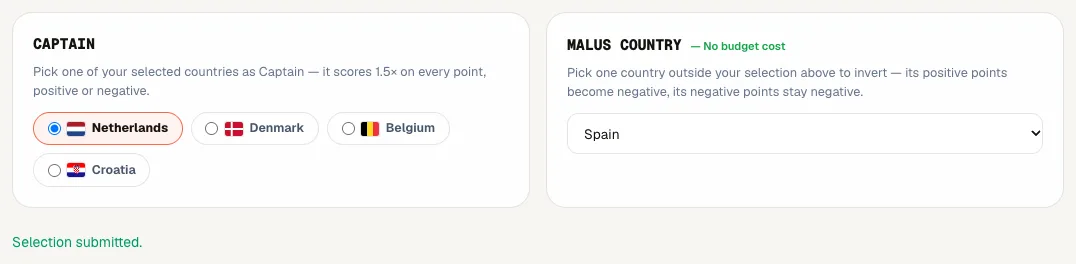
Choose a captain and a malus country
Under ‘Captain’, choose one of your picked countries. Your captain counts extra on the complete match score, 1.5 times in this example competition: positive points, but also goals conceded and red cards. Under ‘Malus country’, choose one country that is not in your selection. If that country gets a positive score in a match, you get those points negatively; a negative score stays negative. Your malus country costs no budget.
Save your selection
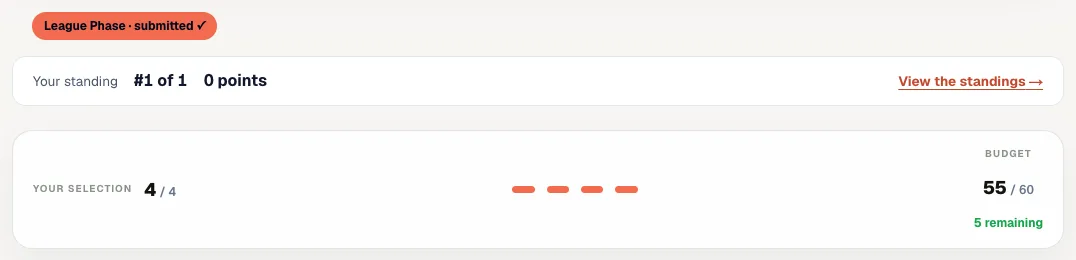
Press ‘Save selection’. You will see ‘Selection submitted.’ and the phase at the top shows ‘submitted’ with a tick. Until the phase deadline you can change and save your selection again as often as you like. Below it you see your position and points in the standings.
After the deadline
After the deadline your selection for that phase is fixed. Your countries score per match: points for a win or a draw, for every goal and for a clean sheet, and minus points for goals conceded and red cards. When a new phase starts, you choose again, with that phase’s number of countries and budget. Your earlier phases stay visible and the standings add up the points of all phases.
Ready to pick your countries?
Open your competition from ‘Competitions’, pick your countries, your captain and your malus country and press ‘Save selection’ before the phase deadline.
Go to my competitionsHaving trouble?
I cannot tap a country
The country no longer fits your remaining budget, you have already picked the maximum number of countries, or you have reached the group limit. Remove another country first; the bar at the top shows how much budget that frees up.
My malus country is not in the list
Your malus country may not be in your own selection. Remove it from your selection or choose another malus country.
My captain is suddenly empty
Your captain must be in your selection. If you removed that country, choose a captain from your countries again.
I cannot see the country picker
Check that you have joined the competition. If an entry fee applies, the country picker opens once the organizer has processed your payment. Otherwise, contact your organizer.
I can no longer change my selection
The phase deadline has passed. You choose again once the organizer opens the next phase.
The deadline has passed and I saved nothing
You score no points for that phase. You simply take part again in the next phase. Contact your organizer if you think something went wrong.
Next guide: View your points, results and standings