In short
- Open your Formula One competition from ‘Competitions’; you land on the next race weekend.
- Choose four drivers from four different constructors within your budget and predict the qualifying and race podiums.
- Submit before the first session; if you forget a weekend, your latest team carries over.
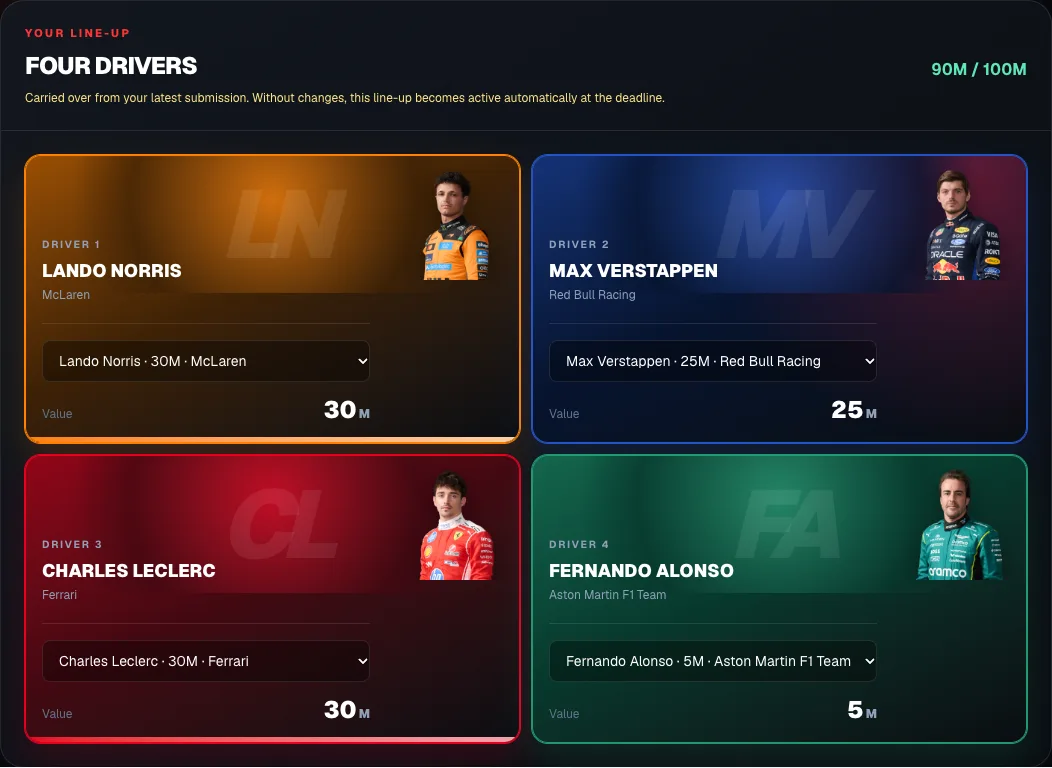
The screenshots show a fictional example competition with randomly chosen drivers. The budget, prices, points and deadlines can differ per competition; check ‘Rules’ in your own competition.
Before you start
You must join the competition first. After that you pick a team for each race weekend. There is no captain, no bonus or malus driver and no constructor pick: only your four drivers and your predictions count. Also read your competition’s ‘Rules’: they explain how drivers score points.
Open the race weekend
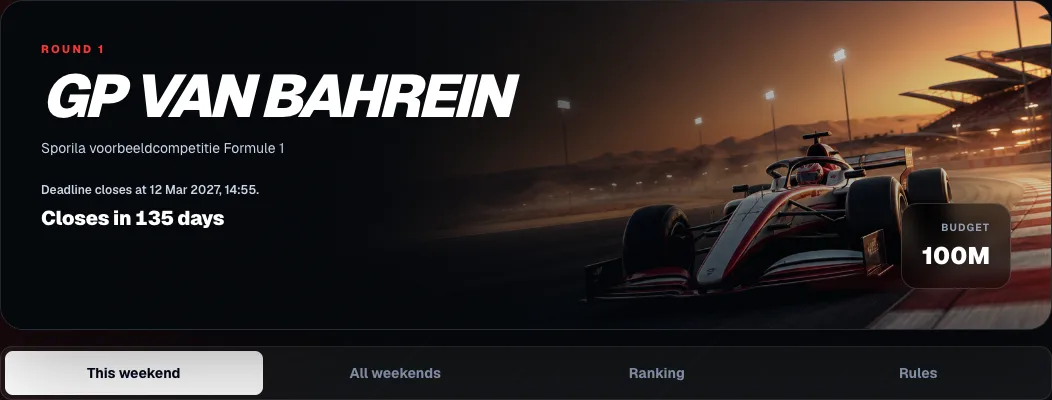
Sign in and choose ‘Competitions’ at the top. Open your Formula One competition: you land straight on the next race weekend. The top shows the deadline, how much time you have left and your budget. The tabs lead to ‘All weekends’, the ‘Ranking’ and the ‘Rules’.
Pick four drivers
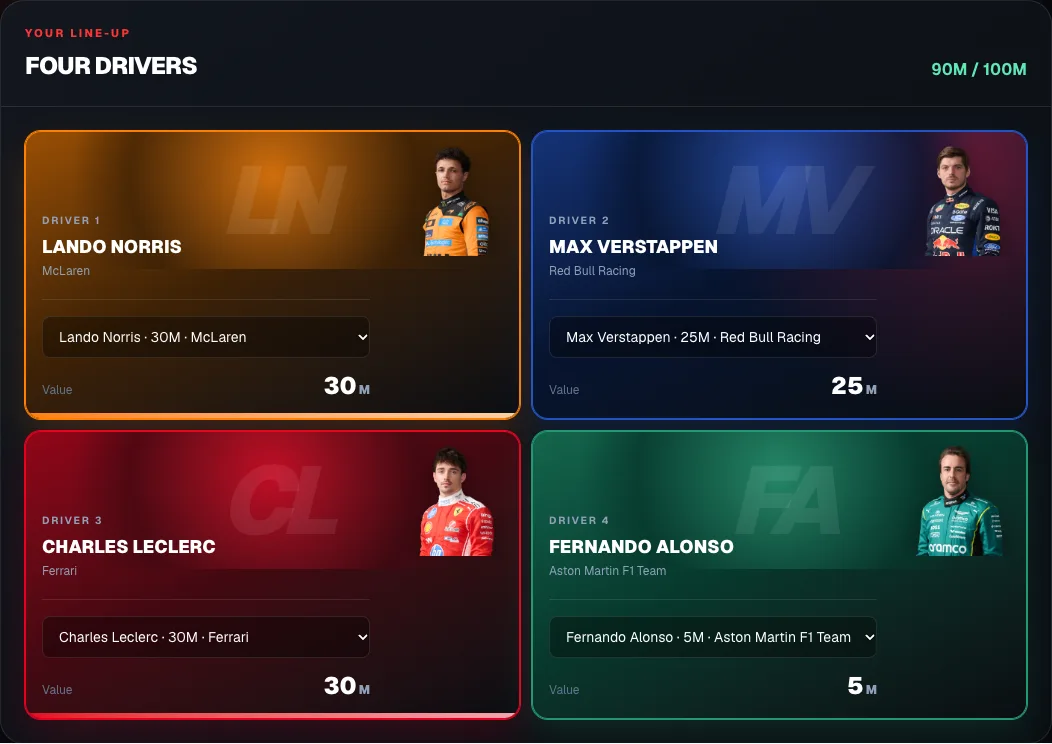
Under ‘Four drivers’, choose a driver in each box. Each name shows the driver’s price and constructor. Your four drivers must come from four different constructors and stay within the budget together. The top right shows how much of your budget you use; if you go over, Sporila tells you. So combine expensive stars with cheaper drivers.
Predict the podiums and submit
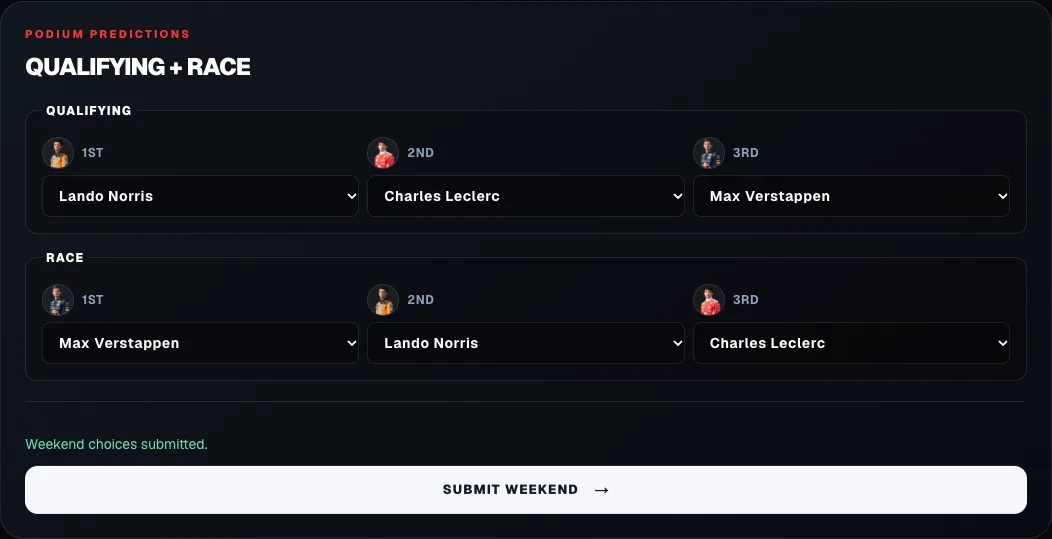
Under ‘Podium predictions’, choose which three drivers finish on the qualifying and race podiums, in order. Any driver counts, including those outside your team. Each position is judged separately: exactly right scores the most, one place off still scores some. Sprint sessions have no prediction. Then press ‘Submit weekend’. The button only works once your team and all six predictions are complete. Until the deadline you can change and resubmit as often as you like.
All your weekends in one overview
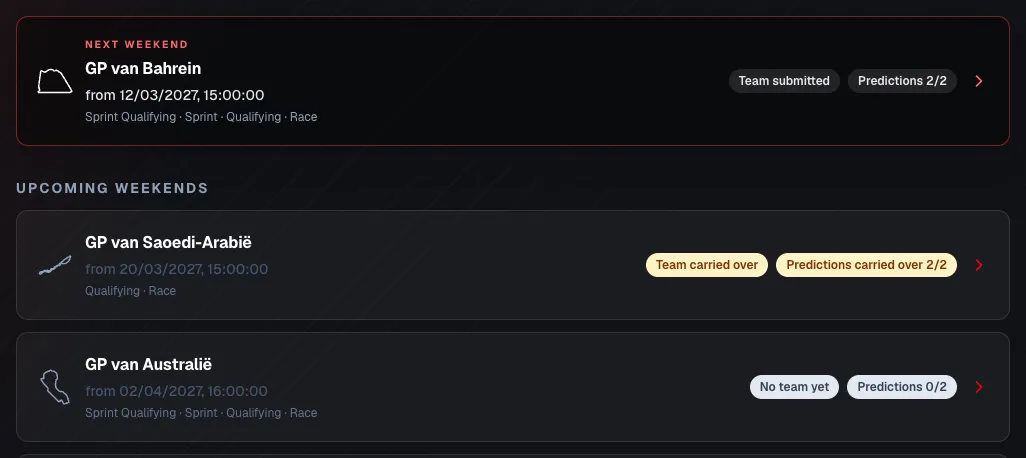
‘All weekends’ shows for each race weekend whether your team is submitted and how many of the two predictions (qualifying and race) are done. ‘Team carried over’ means the previous weekend’s team goes along. Tap a weekend to open it. So you can also pick a team for a later weekend in advance.
Forgot? Your latest team carries over
If you open the weekend right after a submitted one without choosing anything, that team is already there, with the message ‘Carried over from your latest submission’. If you change nothing, that team becomes active automatically at the deadline. The same goes for your predictions. If a chosen driver is not racing that weekend, your choice stays but scores nothing; pick a replacement yourself.
Deadline and points
Your team closes shortly before the first session of the weekend: sprint qualifying on a sprint weekend, otherwise qualifying. Your predictions close only shortly before qualifying, so on a sprint weekend you can still adjust them after your team is locked. Only qualifying and the race score points: each driver scores by their official finishing position in both. Your weekend total is the sum of your four drivers plus your prediction points, and the ‘Ranking’ adds up all weekends.
Ready for the first race weekend?
Open your competition from ‘Competitions’, pick your four drivers and your predictions and press ‘Submit weekend’ before the deadline.
Go to my competitionsHaving trouble?
The ‘Submit weekend’ button is grey
Your weekend is not complete yet. Check that you chose four drivers from four different constructors, that you are within the budget and that all six podium places are filled, with three different drivers per session.
‘This line-up exceeds the budget’
Your four drivers cost more than your budget together. Replace an expensive driver with a cheaper one; the top right shows the new total straight away.
I can no longer change my team
The team deadline has passed. On a sprint weekend you can still change your predictions until shortly before qualifying. After that everything is fixed until the next weekend.
I cannot see the race weekends
Check that you have joined the competition. If an entry fee applies, the weekends open once the organizer has processed your payment. Otherwise, contact your organizer.
My draft changed on another device
Sporila tells you and overwrites nothing. Choose ‘Load server version’ to continue with the other device, or ‘Keep my visible choices’ to keep what you see now.
I missed a weekend
If you had submitted a team before, it carried over automatically. If you never submitted anything, you score no points that weekend. Contact your organizer if you think something went wrong.
Next guide: View your points, results and standings