In short
- Sign in and choose ‘My account’ at the top.
- Change your display name, password and e-mail address there, and sign out other sessions.
- You can also download your data and close your account there.
The screenshots show a fictional example account. Your details, participation and available actions may differ.
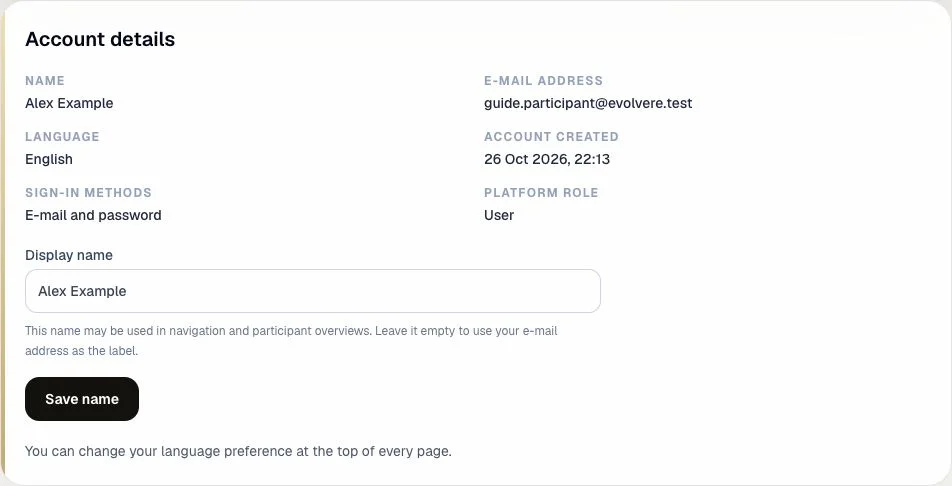
Account details and display name
‘Account details’ shows your name, e-mail address, language, creation date, sign-in methods and platform role. Your platform role represents your access rights; you cannot change it here yourself.
Update ‘Display name’ and choose ‘Save name’. This name may appear in navigation and participant overviews. If you leave it empty, your e-mail address may be used as your name. Change your language preference using the language selector at the top of the page.
If you see ‘Verify your e-mail address’, request a verification e-mail in that panel and open the link in your inbox. You can keep using existing participation, but verification is required before creating a new competition, joining one or receiving an administrator role.
Change password
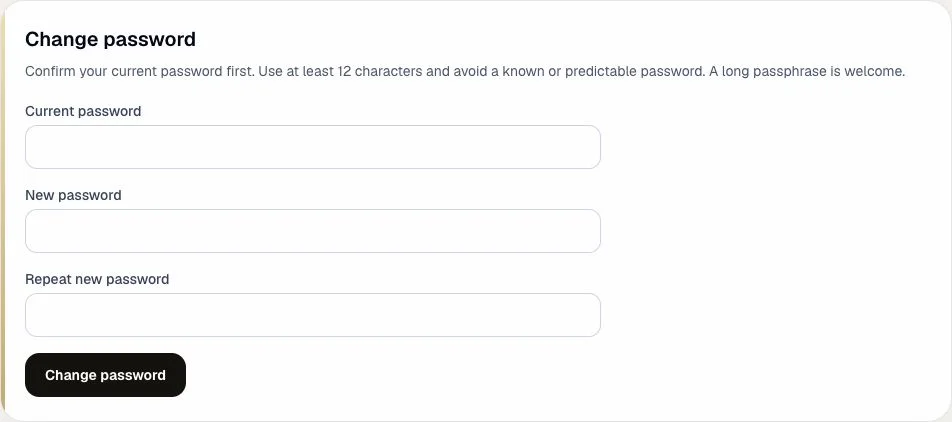
This section appears if your account uses password sign-in. Enter your current password, choose a different password of at least 12 characters and repeat the new password exactly. A long passphrase is welcome too.
Choose ‘Change password’. Your existing sessions will end; sign in again with your new password. If you no longer remember your current password, follow the password reset guide below.
Change e-mail address
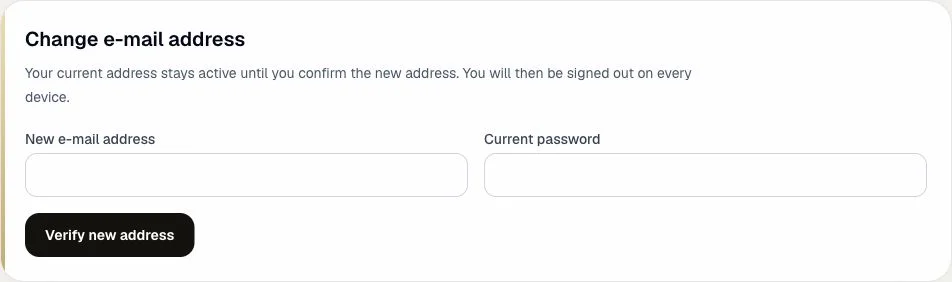
You need an account with password sign-in and a verified current e-mail address. Enter your new e-mail address and current password. Choose ‘Verify new address’ and open the verification link in the new address’s inbox. The link is valid for 24 hours.
Your current address stays active until you confirm the link. An open request appears under ‘Waiting for confirmation’; choose ‘Cancel request’ to withdraw it. After confirming the new address, you will be signed out on every device. Then sign in with your new e-mail address and existing password.
Active sessions
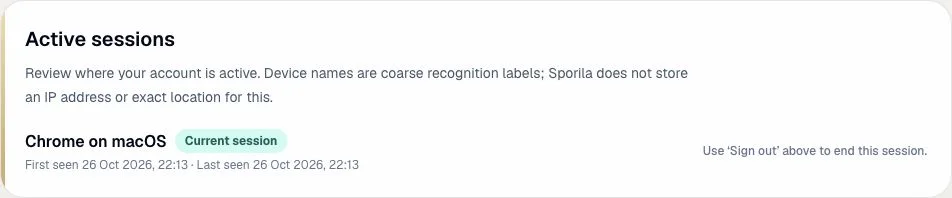
Review the devices and browsers where your account is active, with ‘First seen’ and ‘Last seen’ times. ‘Current session’ is the one you are using now. Device names are coarse recognition labels, not precise locations.
Choose ‘Sign out’ next to another session to end it. If other sessions exist, you can also choose ‘Sign out all others’. This keeps your current session active. To end your current session, choose ‘Sign out’ at the top of the page.
Organizations, participation and applications
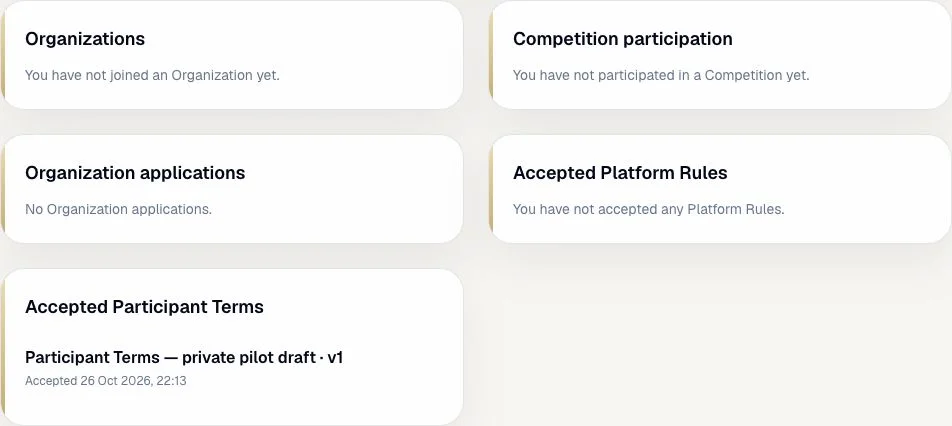
These panels show how your account is connected to organizations and competitions. An empty panel means there are no records for that section yet.
Organizations
Review the organizations you have joined, the date you joined and whether each organization is active. An organization name links to ‘Organizations’.
Competition participation
Review your competitions, the organization or ‘Personal’, the date you joined and payment status. ‘Payment pending’ or ‘payment received’ reflects the recorded status. A competition name links to your competitions.
Organization applications
If you applied for an organization, this panel shows its requested name, the date and status: ‘Pending’, ‘Approved’ or ‘Rejected’.
Accepted rules and terms
The panels below your participation show the documents you have accepted, with their title, version number and acceptance date. This is a record of your acceptance history.
Accepted Platform Rules
Review the versions of the Platform Rules you accepted. If no acceptance is recorded, the panel says so.
Accepted Participant Terms
Review which versions of the Participant Terms you accepted and when. A new version may ask for your acceptance again.
Export your data
In ‘Export your data’, choose ‘Download my data’. You will download a JSON file containing your account details, organizations, competition participation, organization applications and accepted rules and terms.
JSON is a text format you can open with a text editor. The export does not contain passwords, sessions or OAuth tokens. It does contain personal information, so keep it somewhere you trust.

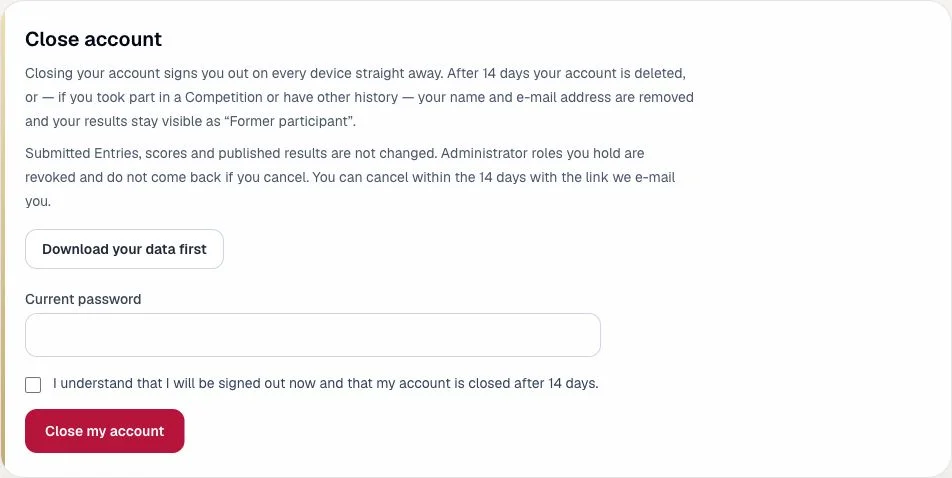
Close account
If ‘Close account’ is available, read the consequences first and download your data if needed. Enter your current password, tick the box to confirm that you understand the consequences and choose ‘Close my account’ only if you want to stop.
You will be signed out on every device immediately. After 14 days your account is deleted, or your name and e-mail address are removed if participation or other history needs to remain. Results then stay visible as ‘Former participant’. Submitted entries, scores and published results do not change.
You can cancel within the 14 days using the link in the e-mail. Revoked administrator roles do not return after cancellation. If you see ‘Closing is not possible yet’, resolve the listed issues first, such as handing over an administrator role. For an account without a password, ask a platform administrator for help.