In short
- Request the organization under ‘Organizations’; Sporila reviews every application.
- Generate an organization code under ‘Participant access’ and share it with your members.
- Organize competitions from your organization; members join them with the competition code.
The screenshots show the fictional organization WTC De Testrenners with invented members and an invented organization code. The description was entered by its administrator and is therefore not translated.
When to choose an organization
For one competition with friends a personal competition is enough. An organization suits a club, company or group that plays more often. Members join once with an organization code and then see every open competition of the organization. Only members can join those competitions. The Hall of Fame puts the results of all your competitions side by side. Sporila reviews every application before the organization exists.
Apply for an organization
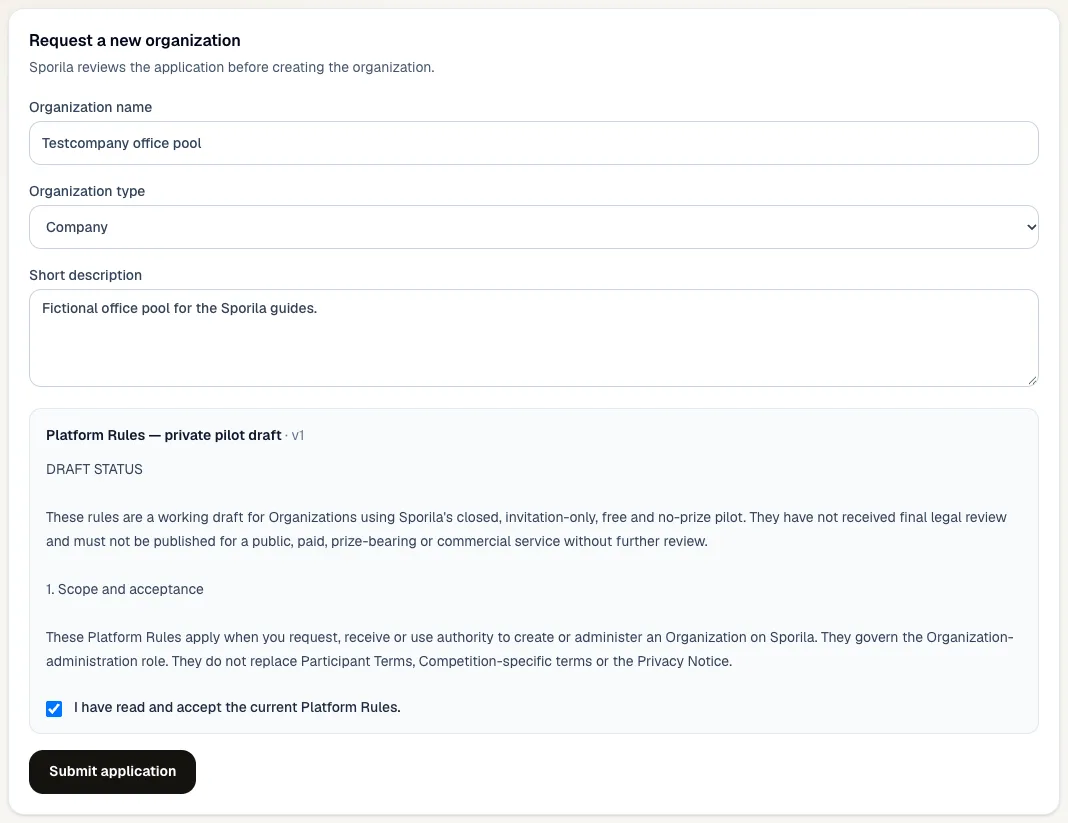
Choose ‘Organizations’ at the top. On ‘My organizations’, under ‘Request a new organization’, enter the name, the type (group of friends, sports club, company or other) and a short description. Read the Platform Rules, tick that you accept them and choose ‘Submit application’.
Wait for the review
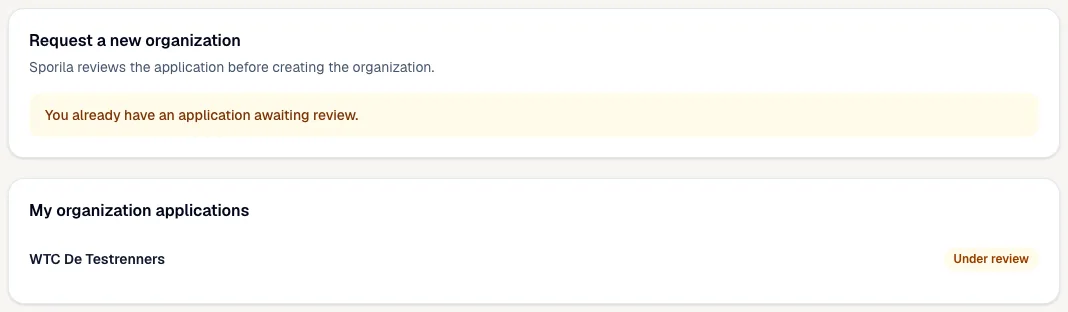
Under ‘My organization applications’ your application shows ‘In progress’. You can have one open application at a time. Once approved, Sporila creates the organization and makes you a member and administrator; the application then shows ‘Manage organization’. A rejection sometimes comes with a note.
Open your organization
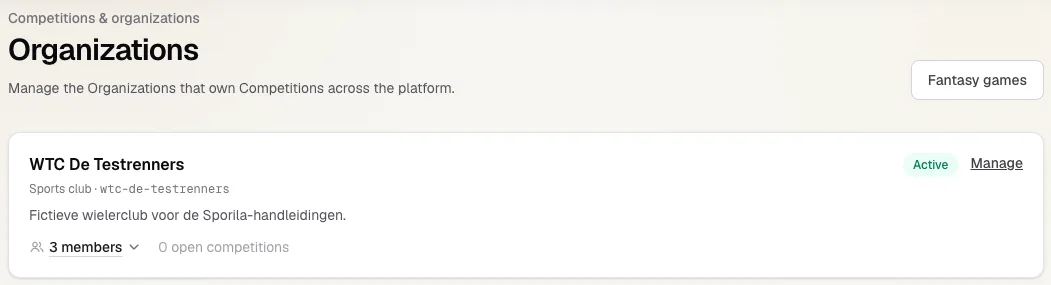
‘Organizations’ lists the organizations you manage, with their type, number of members and number of open competitions. Choose ‘Manage’ to open one.
Update the details
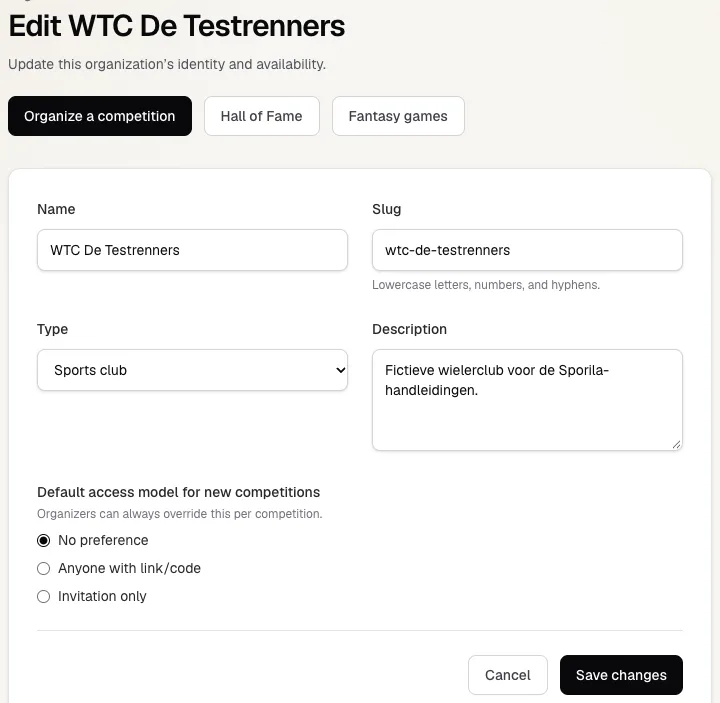
At the top are the ‘Organize a competition’ and ‘Hall of Fame’ buttons. Below you change the name, the slug (the short name in lowercase), the type and the description. Under ‘Default access model for new competitions’ you choose what the wizard suggests: no preference, anyone with a link or code, or invitation only. You can always change it per competition. Save with ‘Save changes’.
Generate an organization code and share it
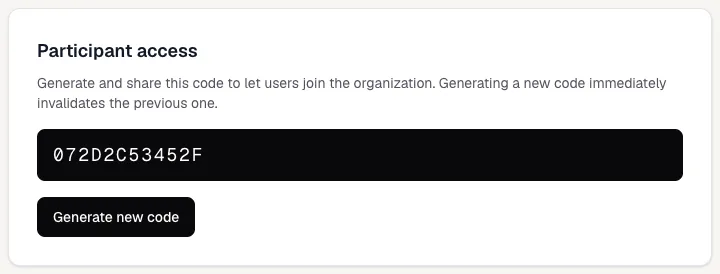
Under ‘Participant access’ choose ‘Generate code’ and share the code with your members. They enter it under ‘Add organization’ on ‘My organizations’, or in the ‘Have a code?’ field on their Competitions page. ‘Generate new code’ makes the previous code stop working at once; existing members stay members.
What members see
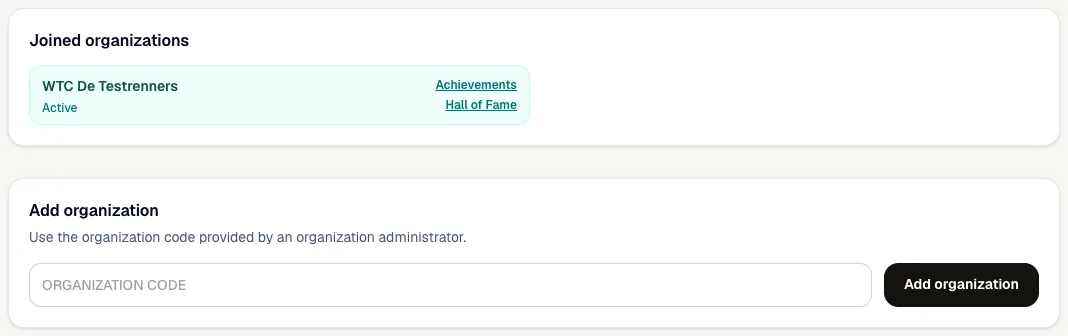
After joining, members find your organization under ‘Joined organizations’, with links to Achievements and the Hall of Fame. On their Competitions page they see the organization’s open competitions. To join one they still enter its competition code: the organization code makes someone a member, the competition code lets them play in one competition.
How your members join a competition
Organize a competition for your organization
Choose ‘Organize a competition’. The wizard opens with your organization already selected. Finish the setup, publish the rules and set a competition code. Your members then see the competition and can join; people who are not members cannot.
Manage your members
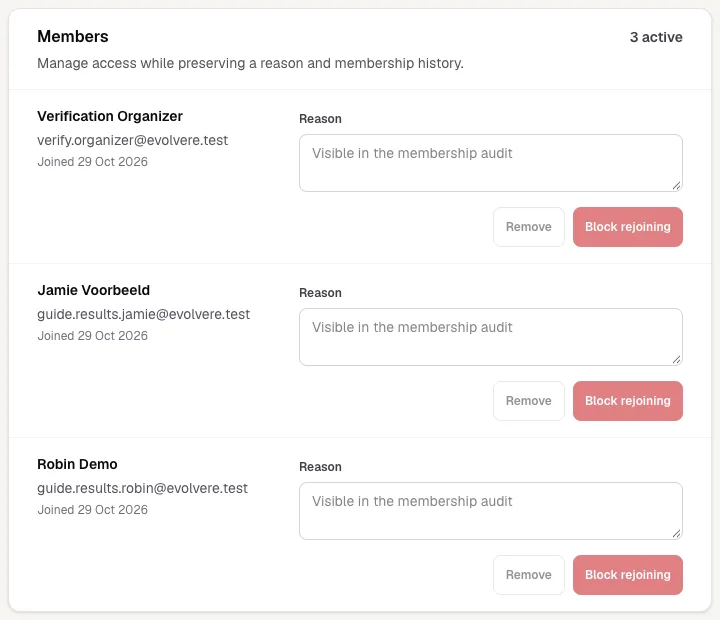
‘Members’ lists everyone with their e-mail address and joining date. Enter a reason first; it goes into the membership audit. ‘Remove’ takes someone out of the organization, but they can rejoin with the code. After ‘Block rejoining’ they cannot. Both also end their active participation in the organization’s competitions. ‘Restore membership’ undoes it. You cannot remove yourself or another administrator.
The Hall of Fame
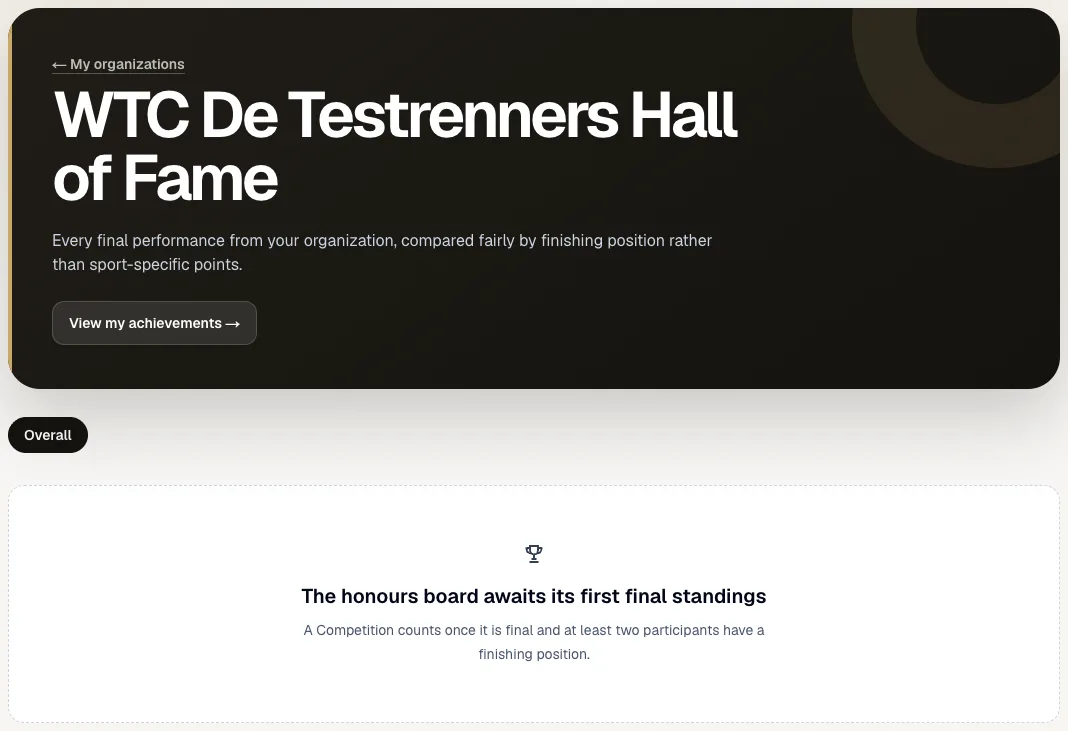
The Hall of Fame puts the results of all your organization’s competitions side by side, compared on final position instead of points. A competition counts once it is finalized and at least two participants have a final position. Members open it from ‘My organizations’; from the Hall of Fame they can also see their own achievements.
More administrators and deactivation
Want a second administrator or to close the organization? Sporila arranges that. Open a ticket through ‘Support’ in the menu, in the Organization category. A deactivated organization keeps its competitions and history visible, but cannot add new members, codes or competitions.
Ready to start your organization?
Apply for your organization on My organizations. Once approved, generate an organization code, invite your members and organize your first competition.
Go to my organizationsHaving trouble?
I cannot submit a new application
You already have an application awaiting review. Wait until Sporila has reviewed it; you can then submit a new one if needed.
A member does not see the organization’s competition
Check that the member joined with the organization code, the rules are published, the competition is open and a competition code is set.
A member cannot join with the competition code
An organization’s competition requires membership first. Have the member join with the organization code, then enter the competition code.
The buttons next to a member do nothing
Enter a reason first. Removing and blocking only work with a reason, and never for yourself or another administrator.
I generated a new organization code and the old one stopped working
That is expected: a new code invalidates the previous one at once. Share the new code; existing members stay members.
The Hall of Fame stays empty
A competition only counts once it is finalized and at least two participants have a final position.
Next guide: Create a competition